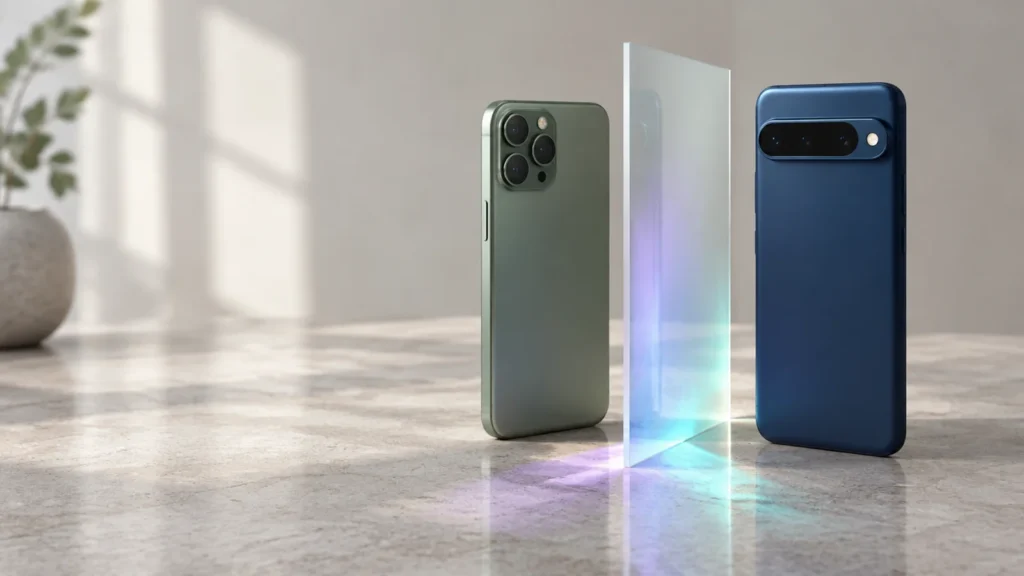
People have been arguing about iPhone versus Android for the best part of twenty years, and most of what gets written is either a fan letter or a spec sheet. Neither tells you what you’d actually gain or lose by moving. On cameras, speed and battery the two sides are now closer than they’ve ever been, so the differences that matter are the ones that show up after you’ve paid. How long does the phone get updates? What does it cost to leave? What’s the cheapest phone on each side we’d happily use? And how much of a headache is the switch itself? We answer each of those below, using the makers’ own prices and policies as of 28 September 2026.
- If you own a Mac, an iPad or an Apple Watch, buy an iPhone. The way those devices work together is the main thing you’d be giving up, and Android has nothing that replaces it.
- If you want the most phone for the least money, go Android. The Galaxy S26 starts at $899.99 with a flagship chip, and mid-range Androids under $500 are properly good now. The cheapest new iPhone is the 17e at $699.
- If you keep phones for years, it’s a tie at the top. Google and Samsung promise seven years of updates on their flagships, and iOS 27 still runs on the 2020 iPhone SE.
- If you want a folding phone, a stylus or 100x zoom, Android has had all of them for years. Apple’s first fold, the iPhone Duo, costs $1,999.
- Switching is easier than it used to be. Both sides now move photos, contacts, messages and WhatsApp history for you. The one trap is iMessage. Deregister it before you leave, or texts from iPhone friends can vanish for days.
What each side sells in autumn 2026
The prices below are the makers’ own US list prices, checked on 28 September 2026. Apple’s “from” price on the iPhone 17 includes a $30 discount for activating with a carrier, so if you buy it unlocked you’ll pay $929.
| Phone | From (US$) | Screen | Chip | Updates promised |
|---|---|---|---|---|
 iPhone 17eapple.com | $699 | 6.1″ | A19 | No fixed promise; iOS 27 supports 2020 phones |
| iPhone 17apple.com | $899 ($929 unlocked) | 6.3″, 120 Hz | A19 | As above |
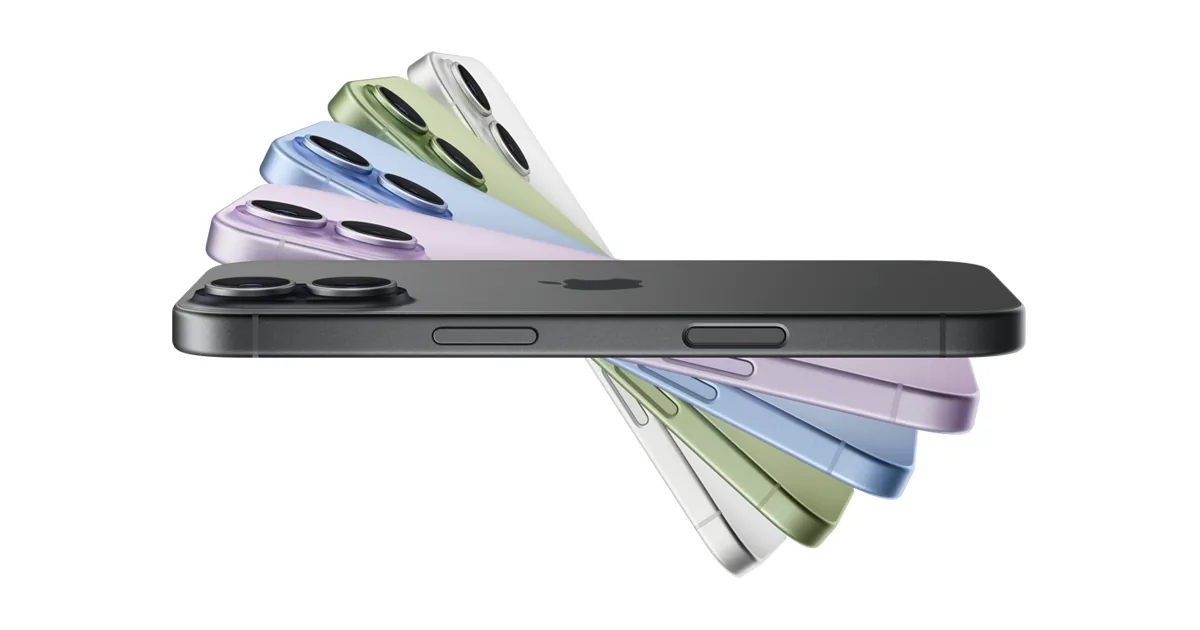
| iPhone Airapple.com | $1,099 | 6.5″, 5.6 mm thin | A19 Pro | As above |
| iPhone 18 Proapple.com | $1,199 (6.3″) / $1,299 (6.9″) | 6.3″ or 6.9″, 120 Hz | A20 Pro | As above |
| iPhone Duoapple.com | $1,999 | 7.6″ inner, 5.4″ outer | A20 Pro | As above |
 Galaxy S26samsung.com | $899.99 | 6.3″ | Exynos 2600 | 7 years OS + security |
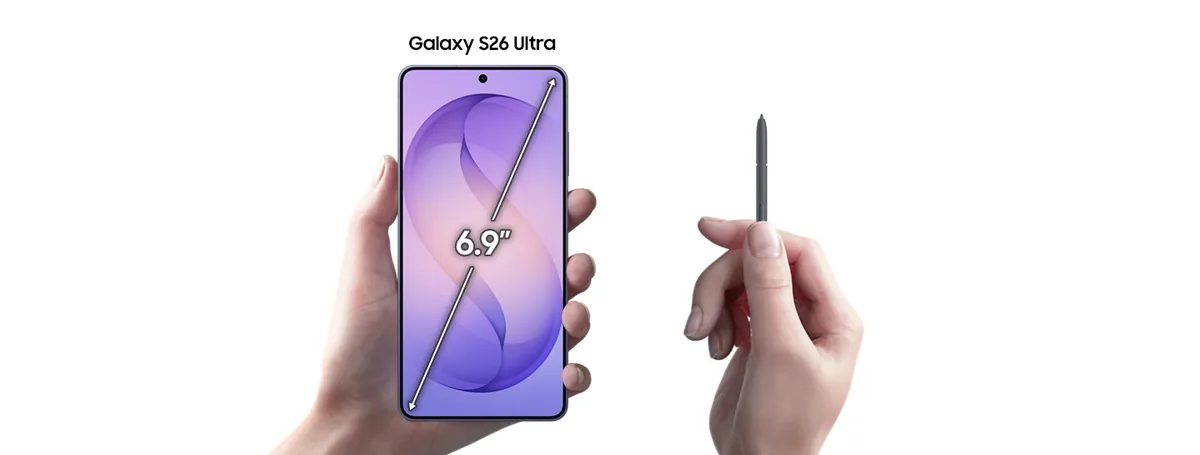
| Galaxy S26 Ultrasamsung.com | $1,299.99 | 6.9″, S Pen | Snapdragon 8 Elite Gen 5 | 7 years OS + security |
 Pixel 11 / 11 Pro / 11 Pro XLstore.google.com | See Google Store for your country | 6.3″ (Pixel 11) | Tensor G6 | 7 years OS + security |
Two things jumped out at us. Apple’s range now stretches from $699 to $1,999, and the interesting phones sit at both ends. The 17e is the cheapest new iPhone Apple has sold with 256 GB of storage, and the Duo is Apple’s first fold. On the Android side, Samsung’s base Galaxy S26 comes in under the unlocked iPhone 17 while carrying a flagship chip, and Google’s Pixel 11 series, which launched on 20 August, is where Android’s AI features turn up first.
How long each phone gets updates
For most of the last decade this was the best argument for buying an iPhone. Apple kept updating phones for six or seven years while plenty of Androids were dropped after two. At the top of the market, that gap has now closed. Google promises seven years of OS, security and feature-drop updates for the Pixel 8 and everything after it, counted from the day the phone first went on sale in the US. Samsung has matched that since the Galaxy S24, with seven years of security patches and OS upgrades, which puts the S26’s end date in 2033.
Apple still doesn’t publish a number. In practice it’s at least as good, because iOS 27, released this month, runs on every iPhone back to the second-generation SE from 2020. What you don’t get is a guarantee. Buy a Galaxy S26 or a Pixel 11 and you know the date. Buy an iPhone and you’re trusting a track record, though so far that record has been excellent.
What a good phone costs on each side
The cheapest new iPhone is $699. The only way in below that is a used or refurbished phone, and Apple’s long support makes those a reasonable buy, since a two-year-old iPhone will still get iOS updates for years. The cheapest Android worth owning is harder to name because there are hundreds of them. As a rough guide, $400 to $500 buys a phone that does everything most people need, and the Galaxy S26 at $899.99 gets you a flagship chip and a seven-year update promise for less than an unlocked iPhone 17.
At the top end, the two sides have swapped places on one thing. Apple’s most expensive phone is now a fold, the $1,999 iPhone Duo, a kind of phone Samsung and Google have been selling for years. Samsung’s dearest mainstream phone, the S26 Ultra at $1,299.99, costs the same as the large iPhone 18 Pro and comes with a stylus, a 200-megapixel main camera and 5x optical zoom.
Cameras, chips and batteries
Every phone in the table has a main camera of 48 megapixels or more, a flagship-class chip and a battery rated for roughly 30 hours of video. What’s left to argue about comes down to taste and edge cases. Apple’s 18 Pro has a variable-aperture main camera, which is new for phones and makes a real difference for portraits and low light. Samsung’s Ultra has the longest zoom. Google’s Pixel 11 Pro is the one to buy if you’d rather the camera fixed things for you. Take ordinary photos in normal light, though, and you won’t tell them apart without the labels.
Which ecosystem you already live in
This is where most people’s decision actually gets made, so we’ll be blunt about it. An iPhone next to a Mac, an iPad, AirPods and an Apple Watch behaves like one machine. Messages, photos, passwords, the clipboard and phone calls move between them without any setup. Android has an equivalent, mostly through your Google account and Samsung’s own apps, but it’s looser, and it doesn’t reach a Mac at all. If your laptop is a Mac, an Android phone will always feel like a visitor.
The reverse is also true, and people say it less often. If you live in Google’s world, with Gmail, Google Photos, Drive and a Chromebook or a Windows laptop, the Android phone is the native device and the iPhone is the one that needs extra apps installed. Gemini is built into Pixels and Galaxies at the system level, whereas on an iPhone it’s an app you download. Windows users also get a proper phone link on Android, and with a Samsung phone that includes running phone apps on the PC, something Apple has never matched.
+Reasons to pick iPhone
- You own other Apple devices, or plan to
- The longest update track record, with no policy small print to read
- Highest resale value, which lowers what the phone really costs you
- Less to choose between: six phones, one design, one store
+Reasons to pick Android
- Better phones under $500, and a $899.99 flagship
- Seven-year updates guaranteed in writing on Pixel and Galaxy S
- Hardware Apple doesn’t sell, such as styluses, cheaper folds and 100x zoom
- Works better with Windows and with Google services
How the switch actually works
Both companies now ship a migration tool, and both move the things people worry about: contacts, photos and videos, messages including WhatsApp history, calendars and free apps. Paid apps have to be bought again on the new platform. Music you bought from a store, books and PDFs usually need moving by hand. If you’re leaving Android, our guide to backing up an Android phone shows how to keep a copy before you wipe the old one. For a copy that will sit in a drawer for years, our comparison of SSDs and hard drives explains why a hard drive holds data without power better than flash.
- Install Move to iOS on the Android phone and keep both phones plugged in and on Wi-Fi.
- During iPhone setup choose Move Data from Android and enter the code the iPhone shows.
- Pick what to move. Apple lists contacts, message history, photos and videos, files, mail accounts, WhatsApp messages and media, call history and calendars.
- Move music, books and PDFs by hand afterwards, since those are the ones Apple’s tool skips.
- Turn off iMessage and FaceTime on the iPhone first and deregister the number from iMessage. Skip this and texts from iPhone users can keep going to a phone you no longer use.
- Charge both phones to at least 80 percent and connect them with a cable. Google says the cable transfer is the reliable one, and the wireless Android Switch app is the fallback.
- Contacts, photos, videos, SMS, iMessages, WhatsApp history, calendar events, notes and free apps move across.
- Give messages time. Google warns it can take up to 48 hours for all of them to appear.
Who should switch, and who shouldn’t
- Stay on iPhone if you use a Mac or an iPad every day, if your family shares an Apple account, or if you sell your phone on every two years. The resale value alone covers a lot of the price difference.
- Move to Android if you want a good phone for under $500, if you want a fold or a stylus without paying $1,999, if you work on Windows, or if you’d like the update end date in writing.
- Move to iPhone if your Android has stopped getting updates, if your friends and family are on iMessage and FaceTime, or if you’ve simply had enough of choosing.
- Don’t switch at all if the only reason is one feature. The two platforms copy each other within a year, and whatever you envy today will most likely turn up on your side by the next model.
Frequently asked questions
Is iPhone or Android better in 2026?
Neither is better across the board. iPhone wins if you own other Apple devices and care about resale value. Android wins on price, hardware variety and written update guarantees. On cameras, speed and battery the flagships are close enough that most people couldn’t tell them apart day to day.
Which gets updates for longer?
At the top, the two sides are level. Google and Samsung promise seven years for the Pixel 8 and later and the Galaxy S24 and later. Apple publishes no promise, but iOS 27 runs on phones from 2020. Cheaper Androids from other brands usually get less.
What is the cheapest new iPhone?
The iPhone 17e at $699 with 256 GB, on Apple’s US store as of 28 September 2026. Apple also still sells the iPhone 16.
Will I lose my WhatsApp chats if I switch?
No, as long as you move them during setup of the new phone. Both Apple’s Move to iOS and Google’s Android Switch carry WhatsApp messages and media across as part of the migration.
Can I keep using iMessage on Android?
No, iMessage only works on Apple devices. Since 2024 iPhones have supported RCS, so texts between iPhone and Android now get typing indicators and full-size photos, but the blue-bubble iMessage features stay on iPhone. Deregister your number from iMessage before you switch.
Sources and method
We took prices and specifications from the makers’ own US pages on 28 September 2026. Update policies are quoted from Google’s and Samsung’s published support pages, and Apple’s support length is inferred from the iOS 27 compatibility list. Migration steps come from Apple’s and Google’s official switching guides. We haven’t run our own battery or camera tests for this guide, so where we compare, we’re comparing the makers’ published claims.
- Apple, iPhone lineup and the Apple Store price pages for iPhone 17e, 17, Air, 18 Pro and Duo
- Apple, iOS 27 compatibility
- Apple Support, Move from Android to iPhone
- Samsung, Galaxy S26 and Galaxy S26 Ultra
- Samsung Mobile Security, update scope
- Google, The Pixel 11 series
- Google Support, Pixel update schedule
- Google, Switch to Android