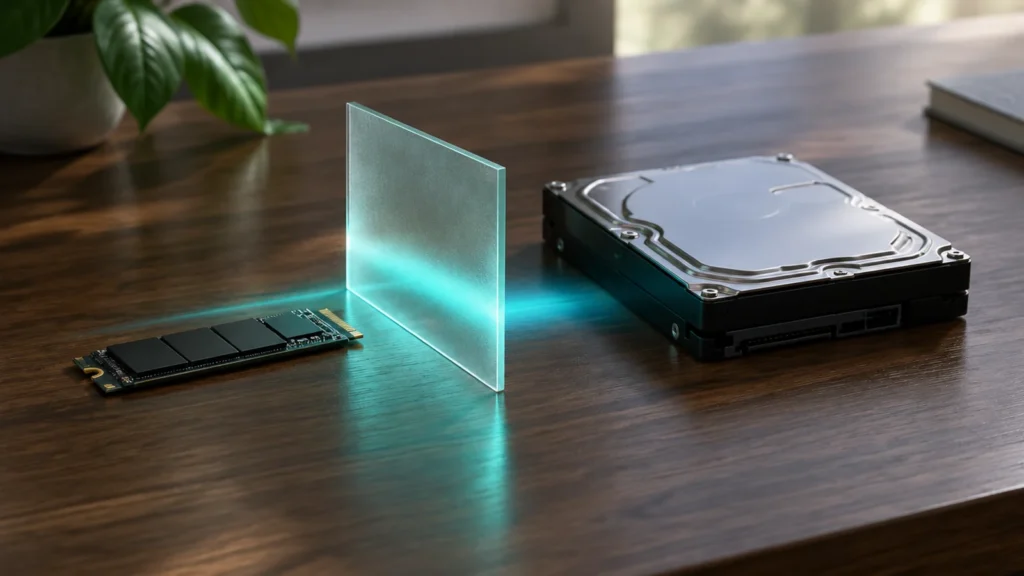
An SSD keeps data in flash memory chips. A hard drive (HDD) keeps it on spinning magnetic platters. That one difference explains almost everything else about them: an NVMe SSD reads a large file roughly 60 times faster than a hard drive, while a hard drive from Western Digital’s own store costs about half as much per terabyte as the cheapest 2 TB SSD on Crucial’s, and a fraction of what Samsung charges. Which one you should buy depends on the job. We compared the two on speed, price per terabyte, endurance, reliability, noise and power, using the makers’ spec sheets, their store prices as checked on 28 September 2026 and the latest Backblaze failure data. There are more cases than you might expect where the hard drive is still the smarter buy.
- Your system drive should be an SSD. Even a budget PCIe 4.0 drive like the Crucial P310 reads at 7,100 MB/s. Seagate’s 24 TB IronWolf Pro manages 240 MB/s, and on small random reads the gap is far wider still.
- Hard drives are still much cheaper per terabyte. On 28 September 2026 WD’s store had the 12 TB Red Plus at $564.99, which works out to about $47 per TB. Crucial’s 2 TB P310 was $200.99, about $100 per TB, and Samsung’s 2 TB 990 PRO was $639.99, about $320 per TB.
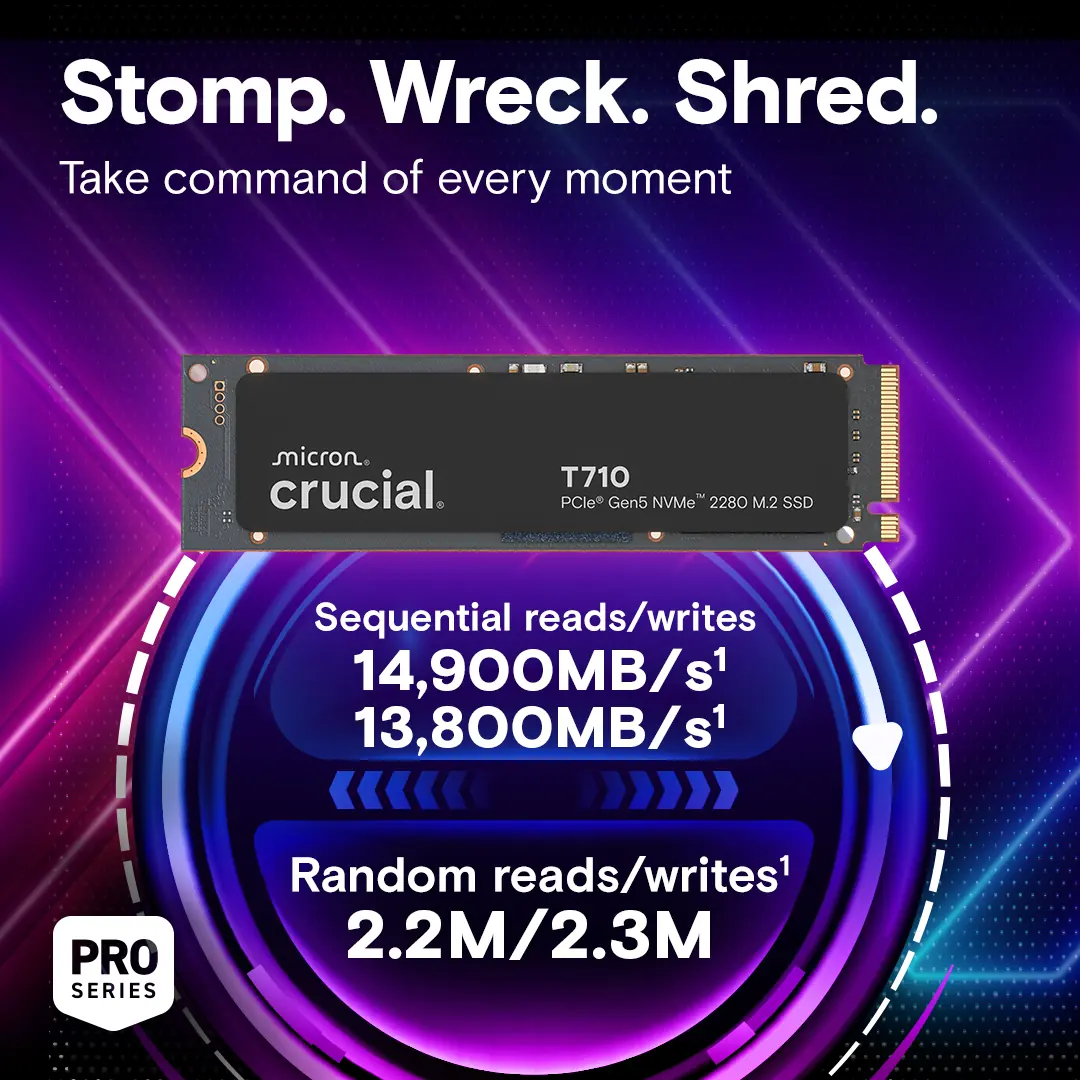
- PCIe 5.0 only pays off if you move huge files. Samsung’s 9100 PRO and the WD_BLACK SN8100 are rated near 14,800 MB/s, twice what a PCIe 4.0 drive does, but you won’t notice the difference when booting, gaming or working in a spreadsheet.
- Reliability is a wash as long as you keep backups. Backblaze’s Q1 2026 report puts its 341,263 hard drives at a 1.24 percent annualised failure rate. Both types fail eventually. A hard drive usually gives you some warning first.
How each one works
A hard drive is a stack of platters spinning at 5,400 to 7,200 revolutions a minute, with a read/write head floating over each surface. To fetch a file, the head has to swing to the right track and then wait for the right sector to come round underneath it. That mechanical wait takes a few milliseconds. It’s why a hard drive can stream one big file quite happily but crawls the moment a program asks for thousands of small pieces scattered across the disk.
A solid-state drive has nothing that moves. Data sits in NAND flash cells and a controller can address any of them in microseconds, which is how you end up with a 60-fold gap on sequential reads and a gap of thousands of times on random access. The connection matters as well. A SATA SSD such as Samsung’s 870 EVO is capped by the SATA bus at 560 MB/s, a PCIe 4.0 NVMe drive can reach about 7,400 MB/s, and the PCIe 5.0 drives launched since 2025 are rated close to 14,900 MB/s.
Speed on the spec sheets
All the figures below are the manufacturers’ own “up to” ratings, taken from their datasheets and product pages, for the 2 TB models unless we say otherwise. We haven’t benchmarked these drives ourselves. Random performance is given in IOPS (input/output operations per second), and that is the number that decides how snappy a computer feels.
| Drive | Type | Sequential read / write | Random read | Endurance rating | Warranty |
|---|---|---|---|---|---|
 Samsung 9100 PRO 2 TBMZ-VAP2T0B/AM | PCIe 5.0 NVMe | 14,700 / 13,400 MB/s | 1,850K IOPS | 1,200 TBW | 5 years |
 WD_BLACK SN8100 2 TBSandisk datasheet | PCIe 5.0 NVMe | 14,900 / 14,000 MB/s | 2.3M IOPS | up to 4,800 TBW (8 TB) | 5 years |
| Samsung 990 PRO 2 TBMZ-V9P2T0B/AM | PCIe 4.0 NVMe | 7,450 / 6,900 MB/s | 1,400K IOPS | 1,200 TBW | 5 years |
| Samsung 870 EVO 2 TBMZ-77E2T0B/AM | SATA SSD | 560 / 530 MB/s | 98K IOPS | 1,200 TBW | 5 years |
 Seagate IronWolf Pro 24 TBST24000NT031, 7,200 rpm | HDD, NAS | 240 MB/s sustained | not rated | 550 TB/year workload | 5 years |
| WD Red Plus 8 TBWD80EFPX, 5,640 rpm | HDD, NAS | 215 MB/s | not rated | 180 TB/year workload | 3 years |
Two things in that table matter more than the headline speed. One is the random column. Neither hard drive maker publishes an IOPS figure for these drives, whereas the SSDs are rated in the millions, and that is the gap you actually feel when Windows boots, a game loads a level or Lightroom builds previews. The other is power. The PCIe 5.0 drives double the sequential rating of the 990 PRO, but Samsung’s own datasheet shows the 9100 PRO drawing 8.1 W on reads against 5.8 W for the 990 PRO. Extra speed means extra heat, which is why PCIe 5.0 drives are usually sold with a heatsink, or on the assumption that you’ll fit one.
Price per terabyte
We only quote prices from the manufacturers’ US web stores, all checked on 28 September 2026. Two of them gave us nothing usable. Seagate’s US store showed its IronWolf Pro and BarraCuda pages as “no longer in stock” with no price, and Sandisk’s store, which now sells the WD_BLACK and WD Blue SSDs, listed them as not purchasable online with no guest price. So the SSD side of this comparison rests on Samsung and Crucial, and the hard drive side on Western Digital.
The spread inside the SSD column is striking. Crucial’s PCIe 5.0 T705 costs less than half what Samsung asks for its PCIe 4.0 990 PRO at the same capacity, and Samsung’s SATA 870 EVO, the slowest drive in this article, is the most expensive per terabyte of the lot. Shop around before paying Samsung’s list price. Even at Crucial’s prices, though, a terabyte of SSD costs roughly double a terabyte of NAS hard drive, and the gap widens as capacity grows. WD sells a 12 TB Red Plus for less than Samsung asks for 2 TB of 990 PRO.
Endurance and reliability
Flash cells wear out as they are written to, so every SSD carries a terabytes-written (TBW) rating, and the warranty ends at that figure or at five years, whichever comes first. Samsung rates both its 2 TB 990 PRO and 2 TB 9100 PRO at 1,200 TBW. Crucial rates the 2 TB T705 and T710 at 1,200 TBW and the cheaper P310 at 440 TBW, and Sandisk rates the 8 TB SN8100 at 4,800 TBW. To get through 1,200 TBW in five years you would have to write about 650 GB every single day. For a normal user, write endurance isn’t what kills an SSD.
Hard drives use a different measure, the annual workload rate, which counts reads as well as writes. WD rates the Red Plus at 180 TB a year with a 1 million hour MTBF; Seagate rates the IronWolf Pro at 550 TB a year with a 2.5 million hour MTBF and throws in three years of its Rescue data recovery service. Those are limits for drives running 24 hours a day in a NAS, not a countdown. They fail differently too. Bearings, motors and heads wear, and a failing hard drive usually starts reporting reallocated sectors or slowing down before it dies. An SSD controller tends to go all at once.
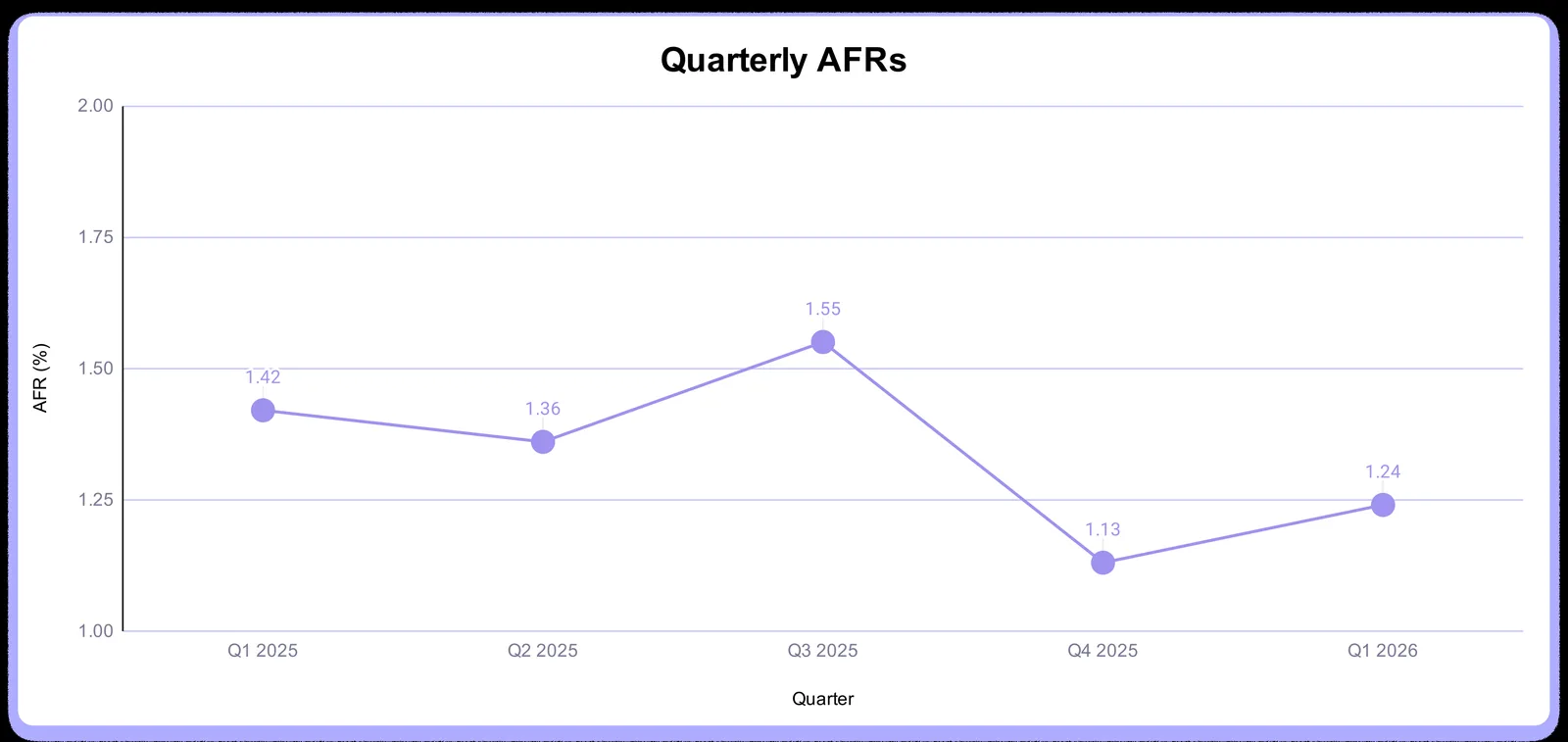
The best public reliability data comes from Backblaze, a cloud storage company that publishes failure rates for every hard drive model in its data centres. Its Drive Stats report for Q1 2026, published on 9 July 2026, covers 341,263 hard drives and gives a quarterly annualised failure rate (AFR) of 1.24 percent, up from 1.13 percent the previous quarter but down from 1.42 percent a year earlier. The lifetime AFR across 529,968,464 drive-days is 1.39 percent, and the full-year 2025 figure was 1.36 percent, down from 1.55 percent in 2024. Individual models vary a lot. In Q1 2026 Toshiba’s 24 TB MG11ACA24TE sat at 0.22 percent and WD’s 22 TB WUH722222ALE6L4 at 0.38 percent, while Seagate’s 24 TB ST24000NM002H was at 3.29 percent.
Noise, power and heat
A hard drive is audible and an SSD is silent. Seagate’s datasheet for the 24 TB IronWolf Pro gives 28 dBA at idle and 32 dBA while seeking, which is quiet for a 7,200 rpm drive but still an audible hum in a quiet room, and four of them in a NAS make more noise than one. Power is less clear-cut than you might expect. The same IronWolf Pro draws 6.7 W idle and 7.8 W operating. Samsung’s 2 TB 9100 PRO draws 8.1 W on reads and 7.9 W on writes, so the fastest SSD here uses as much power as a big hard drive while it’s busy. Where they part company is at idle. The SSD drops to 4.8 mW in its sleep state, more than a thousand times less than a spinning platter, and that is one big reason laptops moved to flash.
PCIe 4.0 and SATA SSDs sit in between. The 2 TB 990 PRO is rated at 5.8 W read and 5.1 W write, the 2 TB 870 EVO at 2.2 W read and 2.5 W write. Sandisk makes power efficiency the main pitch for the SN8100, claiming more than 100 percent better efficiency than its PCIe 4.0 drive at an average operating power of 7.5 W or under, with 6.5 W read and 7.0 W write on the 2 TB model. In practice, a PCIe 5.0 drive in a small case with no airflow will throttle and a PCIe 4.0 drive won’t.
Where a hard drive still wins
Three places. Bulk storage first: a photo and video library, a media server, a NAS. Once you need more than about 4 TB, the SSD premium runs into thousands of dollars, and a hard drive’s 200 to 240 MB/s is plenty to stream 4K video to several rooms at once. Then backups. A backup drive gets written occasionally and read rarely, so speed doesn’t matter, and magnetic platters hold data without power for years, whereas flash cells slowly leak charge in a drawer. And finally capacity per bay. Seagate sells the IronWolf Pro up to 32 TB in a single 3.5-inch slot. Samsung’s and Sandisk’s flagship M.2 lines top out at 8 TB, and Samsung’s 8 TB 9100 PRO was $2,719.99 on its store.
+Reasons to pick an SSD
- Boot, app and game loading: random access thousands of times faster
- Silent, shock-proof and close to zero idle power, which makes it the only choice for laptops
- Under 4 TB the price gap is tens of dollars, not hundreds
- Five-year warranties and TBW ratings most users never get near
+Reasons to pick a hard drive
- About $47 to $55 per TB on WD’s store versus $100 and up for SSD
- Capacities of 12 to 32 TB in one bay for NAS and media libraries
- Better for cold backups that sit unpowered for years
- Usually gives warning signs (bad sectors, slow reads) before it fails
What we would buy
For a laptop there’s no decision to make about the type. The drive is an M.2 NVMe SSD, and all you need to settle is the capacity and whether the slot takes the full 2280 length or the shorter 2230 size used in thin machines and handhelds; check the manual. Go for a PCIe 4.0 drive. PCIe 5.0 draws more power than most laptops can cool or feed.
For a desktop, put the operating system and programs on a 1 or 2 TB NVMe SSD and only add a hard drive if you store more than a few terabytes of media. If your board has a PCIe 5.0 M.2 slot and you regularly copy files of tens of gigabytes (video projects, disk images, AI model weights), a T705, T710, 9100 PRO or SN8100 can halve those copy times. For everyone else, a 990 PRO or P310-class drive is the sensible buy.
For a NAS, buy drives sold for the job: WD Red Plus or Seagate IronWolf. They use conventional magnetic recording (CMR), carry workload ratings and are built to cope with vibration in multi-bay boxes. A NAS reaches the rest of the house through your router, and a gigabit Ethernet port tops out at about 125 MB/s, below what one of these drives can deliver; the 2.5 Gbps ports we cover in our guide to modems and routers lift that limit if the NAS has one too. Run two or more in a mirrored or parity array and keep a separate backup, because an array protects you against a dead drive and nothing else. If the files you want to protect are on a phone, our guide to backing up an Android phone covers copying them to a PC or a USB-C drive.
Verdict
Buy an SSD for anything a computer runs from, and a hard drive for anything it merely keeps. Under about 4 TB the SSD costs a little more and is better in every way you can feel. Above that, the price per terabyte on the makers’ own stores is roughly two to seven times higher for NVMe flash, and the hard drive’s slowness stops mattering because you are streaming and archiving rather than loading.
Within SSDs, don’t overpay for PCIe 5.0 unless you move very large files. The 2 TB Crucial T705 at $303.99 makes that upgrade cheap, while Samsung’s 990 PRO and 9100 PRO carried list prices of $639.99 and $679.99 the same day. Whichever you choose, Backblaze’s data says one drive in eighty fails each year in its racks, so the second copy is the real purchase.
Frequently asked questions
Is an SSD or HDD better in 2026?
An SSD is better for the drive your computer runs from, and a hard drive is better value for bulk storage and backups. The SSD is roughly 30 to 60 times faster on large files, thousands of times faster on small random reads, silent and shock-proof. The hard drive cost about $47 to $55 per terabyte on WD’s store on 28 September 2026, against $100 per terabyte for the cheapest 2 TB Crucial SSD.
How much faster is an NVMe SSD than a hard drive?
About 30 to 60 times faster on large files, and far more than that on small ones. Samsung rates the PCIe 4.0 990 PRO at 7,450 MB/s and the PCIe 5.0 9100 PRO at up to 14,800 MB/s sequential read, while Seagate rates its 24 TB IronWolf Pro at 240 MB/s sustained and WD its 8 TB Red Plus at 215 MB/s. On random reads the SSDs are rated at 1.4 to 2.3 million IOPS and the hard drives aren’t rated at all.
Do SSDs last longer than hard drives?
Neither type has a clear edge in lifespan. SSDs come with five-year warranties and terabytes-written limits (1,200 TBW for a 2 TB Samsung 990 PRO or Crucial T705) that most people never get near. NAS hard drives carry three- to five-year warranties and annual workload ratings. Backblaze’s Q1 2026 report measured a 1.24 percent annualised failure rate across 341,263 data-centre hard drives, and a 1.39 percent lifetime rate. The practical difference is that hard drives usually degrade visibly before they fail, while SSDs more often just stop.
Is a PCIe 5.0 SSD worth it over PCIe 4.0?
Only if you regularly copy very large files. PCIe 5.0 drives like the Crucial T705, Samsung 9100 PRO and WD_BLACK SN8100 double the sequential rating to about 14,500 to 14,900 MB/s, but they draw more power (8.1 W read for the 2 TB 9100 PRO against 5.8 W for the 990 PRO) and need a heatsink. For booting, gaming and everyday work a PCIe 4.0 drive feels identical.
Should I use an SSD or a hard drive for backups?
A hard drive. Backups are written rarely and read rarely, so speed is irrelevant, the cost per terabyte is about half, and magnetic platters hold data without power for years, whereas unpowered flash slowly loses its charge. Keep at least two copies, one of them somewhere else, whichever drive type you use.
Sources and method
Speed, endurance, power and acoustic figures are the manufacturers’ own “up to” ratings, taken from their datasheets and product pages on 28 September 2026; we haven’t run our own benchmarks or endurance tests for this guide. Prices are the US web-store prices of Samsung, Crucial and Western Digital on the same day, and we only include models whose price the store actually displayed. Seagate’s store showed no price or stock for the drives named here, and Sandisk’s store listed its WD-branded SSDs as not purchasable online. Price per terabyte is the store price divided by the labelled capacity. Reliability figures are quoted from Backblaze’s published reports.
- Samsung, 9100 PRO datasheet Rev 1.0: sequential and random performance, TBW, power, warranty
- Samsung, 990 PRO datasheet Rev 1.0 and 870 EVO datasheet Rev 1.1: performance, TBW, power
- Samsung US, 9100 PRO 2 TB, 9100 PRO 4 TB, 990 PRO 2 TB, 990 PRO 4 TB and 870 EVO 2 TB: store prices
- Sandisk, WD_BLACK SN8100 datasheet: performance, TBW, power efficiency claims
- Sandisk store, WD_BLACK SN8100 2 TB, WD_BLACK SN850X and WD Blue SN5000: specifications; no online price shown
- Crucial, T705 2 TB, T710 2 TB and P310 2 TB: prices, sequential ratings, TBW, warranty
- Seagate, IronWolf Pro 24 TB datasheet (ST24000NT031): sustained transfer rate, workload, MTBF, power, acoustics, warranty; IronWolf Pro product page: capacity range
- Western Digital, WD Red Plus and WD Blue desktop HDD: specifications, workload and MTBF, and store prices via the store’s price and inventory feed
- Backblaze, Drive Stats for Q1 2026 (9 July 2026): quarterly and lifetime AFRs, drive counts, per-model rates, chart
- Backblaze, Drive Stats for 2025 (12 February 2026): 2025 and 2024 annual AFRs