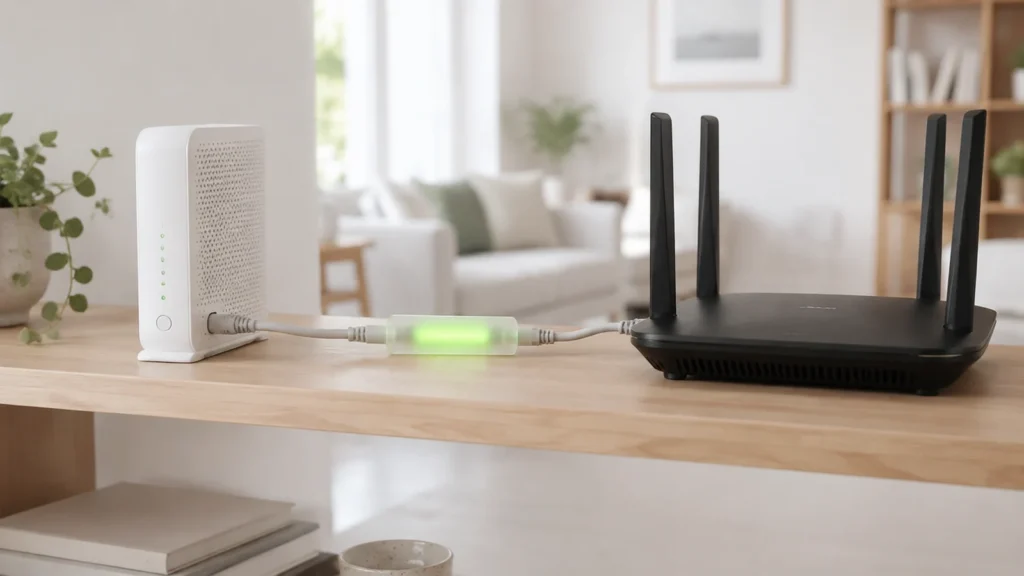
A modem and a router do different jobs, and the box your provider sent you is almost certainly both of them in one case. So when people ask about modem vs router they usually mean one of three things. What does each box do? Should I keep the combined box or split it in two? And should I keep paying rent on it every month or buy my own? We go through all three below for cable, fibre and DSL homes, with vendor documentation and prices checked on 28 September 2026.
- The modem talks to your provider; the router talks to your devices. The modem turns whatever comes in from the wall (cable, fibre or phone line) into Ethernet. The router takes that one connection and shares it with everything in the house, over Wi-Fi and cable, with a firewall in between.
- On fibre or DSL you usually only choose a router. The fibre box on the wall, the ONT, belongs to the provider, so a good router is the only thing worth buying. If you’re on US cable you can replace both.
- Rent adds up. Virgin Media’s WiFi Max is £8 a month, Telia Norway’s router is 59 NOK a month once the first year is over, and EE’s Wi-Fi 7 extender is £10 a month. A capable Wi-Fi 7 router like the ASUS RT-BE9700 is $249.99, paid once.
- Buy mesh only if one router can’t cover the house. One Wi-Fi 7 router will do most flats and small houses. A two- or three-node mesh such as eero 7 (from $169.99 a unit) is for bigger or multi-storey homes.
What a modem does
Modem is short for modulator-demodulator. It sits where your provider’s network ends and your home begins, and its whole job is to turn whatever physical signal arrives at the wall into ordinary Ethernet. Which kind you have depends on what comes into the house. Cable homes get a DOCSIS modem with a coaxial screw connector on the back. Fibre homes get an ONT (optical network terminal), a small box that turns light into an Ethernet port. An old-style phone line means a DSL modem. The modem doesn’t know or care what devices you own. It handles one connection to one provider and gives you a single Ethernet cable at the other end.
Cable modems follow the DOCSIS standard from CableLabs, and the version number tells you the ceiling. CableLabs says that “current DOCSIS 3.1 cable modems support capacities up to 5 Gbps downstream and 1.5 Gbps upstream”, and that “DOCSIS 4.0 cable modems will support capacities up to 10 Gbps downstream and 6 Gbps upstream”. DOCSIS 4.0 manages that by using spectrum on the cable up to 1.8 GHz and, in its Full Duplex variant, by sending and receiving on the same frequencies at the same time. The specification was first issued in 2019. What you can actually buy in a shop today is still DOCSIS 3.1, and the useful change in the newest ones is “mid-split” or “high-split” support, which is what allows a cable provider to sell faster uploads.
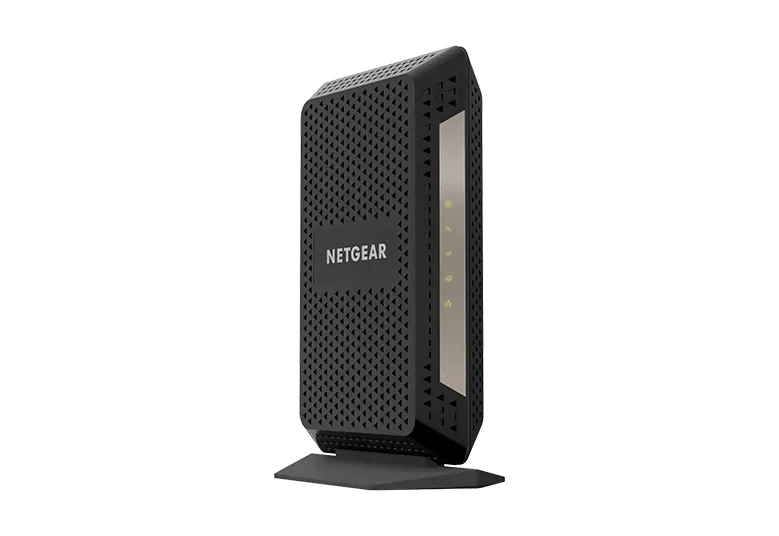
Two things follow from that. A modem can’t make your connection faster than the plan you pay for; it can only hold you back if it’s older than the plan, and a gigabit plan on a DOCSIS 3.0 modem will not reach a gigabit. And a modem is tied to the provider’s technology. Netgear’s own page for the CM3000 says it “works with US cable internet providers Xfinity from Comcast, Spectrum, Cox and more”, and in the same sentence that it is “not compatible with cable bundled voice services or fiber internet services”. Move from cable to fibre and the modem goes in a drawer.
What a router does
The router takes the single Ethernet connection from the modem and turns it into a home network. People tend to lump its jobs together, but it actually does several distinct things. It creates the Wi-Fi network and the wired ports your devices connect to. It does NAT (network address translation), which is how dozens of devices share the one public address your provider gives you, and it hands each of them a private address through DHCP. And because of how NAT works it doubles as a basic firewall: nothing on the internet can open a connection to your laptop unless you deliberately forward a port. Everything you actually notice from day to day (coverage, speed between rooms, parental controls, guest networks) is the router’s doing, not the modem’s.
Router generations are named by the Wi-Fi Alliance, and the three you’ll see on boxes this year are Wi-Fi 6, Wi-Fi 6E and Wi-Fi 7. Wi-Fi 6 was “introduced in 2018” and brought 160 MHz channels, OFDMA, 1024-QAM and target wake time. Wi-Fi 6E is the same standard stretched into the 6 GHz band; the Alliance opened certification for it on 7 January 2021, once regulators had freed up 1,200 MHz of new spectrum, enough for “up to seven superwide 160 MHz channels”. Wi-Fi 7 was “introduced in 2024” and runs across 2.4, 5 and 6 GHz. Its 320 MHz channels in the 6 GHz band “provide twice the throughput of Wi-Fi 6”, its 4K-QAM mode “achieves 20% higher transmission rates than Wi-Fi 6’s 1024 QAM”, and multi-link operation lets one device use more than one band at once. On spec sheets it goes by the IEEE name, 802.11be.
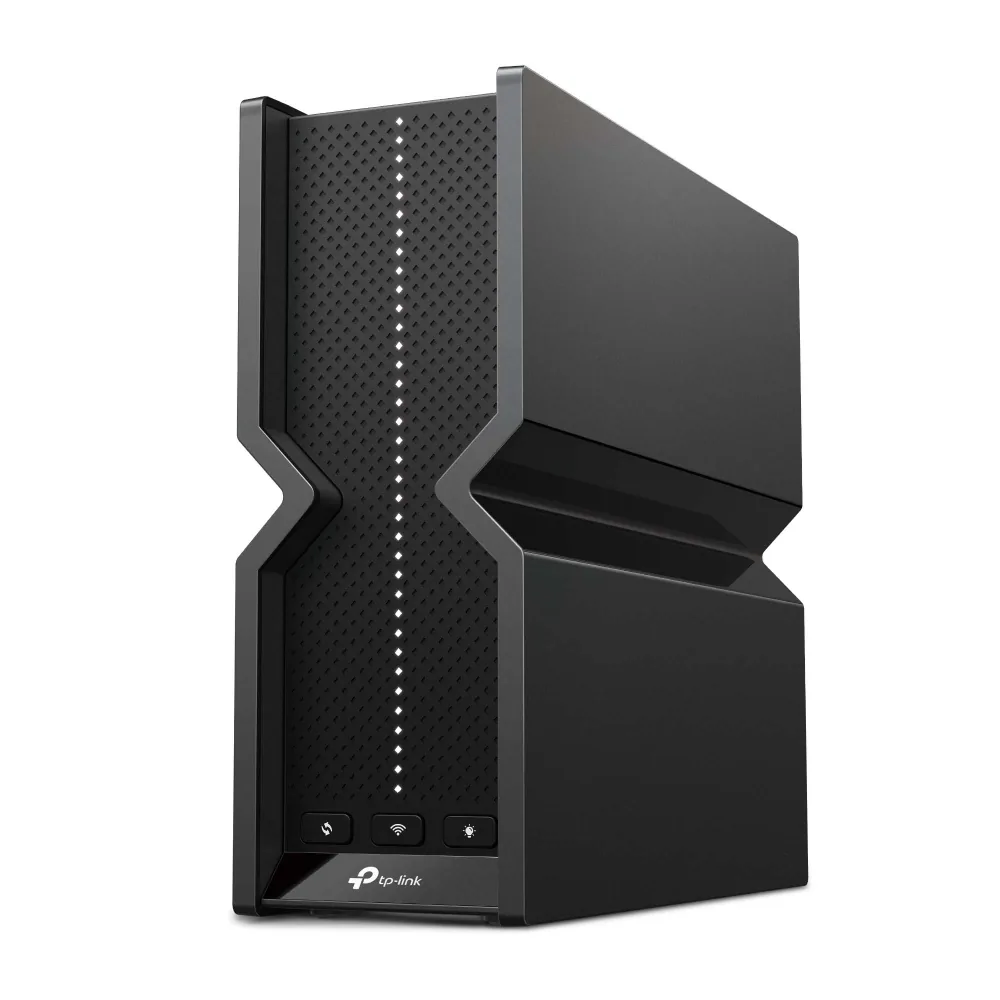
Do you need Wi-Fi 7? Most homes don’t yet, but it’s what we’d buy if we were buying anyway. The biggest gains are on the 6 GHz band, which only reaches phones and laptops from the last few years and doesn’t get through walls as well as 5 GHz does. The practical reasons to pick a Wi-Fi 7 router now are the 2.5 Gbps ports, which stop the router being the bottleneck on a multi-gigabit plan, and the fact that Wi-Fi 6 models are quietly vanishing from vendor line-ups. TP-Link’s US router page currently lists fourteen Wi-Fi 7 Archer models and two Wi-Fi 6 ones. Those 2.5 Gbps ports help inside the house too, because a NAS hard drive reads at around 200 to 240 MB/s, more than a gigabit port can carry.
Gateways: the combined box
A gateway, or modem-router combo, is both devices in one case. It’s what almost every provider ships, because it’s one device to post out and one to support. You can buy them too. ARRIS’s SURFboard G54 puts a DOCSIS 3.1 cable modem and BE18000 Wi-Fi 7 in a single unit, and the older G34 pairs DOCSIS 3.1 with AX3000 Wi-Fi 6. One plug, one app, nothing to cable together.
The drawback is that the two halves age at different rates. Modem standards change slowly, and a DOCSIS 3.1 modem bought in 2020 is still fine for most cable plans. Wi-Fi moves quickly, so you may want a Wi-Fi 7 router or a mesh system years before the modem needs replacing. With separate boxes you swap the half that’s out of date. With a gateway you either replace the lot, or you turn off its router side (“bridge mode”) and hang a new router off it. That works, but you’re then powering, and possibly paying rent on, Wi-Fi hardware you no longer use.
+Reasons to pick a gateway
- One box, one plug, the simplest setup there is
- Usually supplied by the provider, so support covers the whole thing
- Fine for a flat or small house where one Wi-Fi source is enough
- Cheaper to buy than a good modem plus a good router
+Reasons to pick separate boxes
- Upgrade the Wi-Fi without touching the modem, and the reverse
- Put the router where the coverage is needed, not where the cable comes in
- Keep the router when you change provider or move to fibre
- Wider choice, since the best routers and mesh systems are router-only
Renting from your provider or buying your own
Providers deal with equipment in one of two ways. Either the basic box is bundled into the plan and the better one costs extra, or every box has its own line on the bill. We checked what five providers publish. In the UK, EE announced on 12 December 2025 that its Wi-Fi 7 Smart Hub 7 Plus is “included as standard across all Full Fibre plans”, while the higher-end Smart Hub 7 Pro comes with its 1.6 Gbps and Ultimate plans and the matching WiFi Extender 7 Plus is a £10 a month add-on. Virgin Media’s WiFi Max, which adds mesh pods and a guarantee of “at least 30Mbps in every room or get £100 bill credit”, costs £8 a month, or nothing on its Gigabit, Ultimate Oomph and Volt packages. In Norway, Telia lists its Smart Wifi Ruter as free for 12 months and then 59 NOK a month, and Telenor charges 39 NOK a month per WiFi Forsterker II extender on top of its Wi-Fi 6E WiFi Ruter II. In the US, Xfinity’s support staff have said on the company’s own community forum that “gateway rental fees are still $15/month unless included at a discounted rate through a promotion”; that post is from September 2024 and Xfinity’s newer plans bundle the gateway, so check the fee on your own plan rather than assuming it.
Now set that against buying once. Netgear’s CM3000 modem is $299.99 and its CM2500 is $249.99. ASUS’s RT-BE9700 Wi-Fi 7 router is $249.99 on the ASUS eShop. At £8 or $15 a month a rented box works out at roughly £96 or $180 a year, so a bought modem or router pays for itself within one to two years, and after that it costs nothing. The sums only work on cable, though, and only in markets where the provider lets you bring your own modem. On fibre the ONT is theirs and there’s no rent to dodge; the saving is smaller, and it comes from turning down a premium router or extender add-on and buying a better one yourself.
One router or a mesh
Start from the floor plan rather than the spec sheet. One modern router in the middle of a flat, or of a small house on two floors, will cover it. Trouble starts when the router has to sit where the cable enters the building, often a corner or a hallway cupboard, and the far end of the house is two thick walls away. A second router won’t fix that; two Wi-Fi networks with the same name that don’t talk to each other make things worse. What you want is a mesh system, where two or three nodes share one network and pass devices between them as you move about.
Amazon’s eero is a handy example of the category, and its pricing shows how mesh scales. On eero.com the Wi-Fi 7 eero 7 is $169.99 for one unit, $284.99 for two and $399.99 for three; the eero Pro 7 is $299.99, $549.99 and $799.99. On the day we checked, both three-packs were discounted, to $339.99 and $599.99. Bear in mind that an eero is a router, not a modem, so you still need your provider’s modem or ONT in front of it. Several router makers offer a middle path as well. ASUS routers support AiMesh, so a second ASUS router can become a node later, and TP-Link’s Archer routers can join its EasyMesh-style network with matching extenders. That’s why we’d buy one good router first and add a node only if a room stays weak. Our guide to fixing weak Wi-Fi covers the free fixes to try first.
What we would buy
These are current models from the makers’ own pages, checked on 28 September 2026. Where a maker doesn’t publish a price and sends you to a retailer, we say so rather than quoting a shop.
| Product | Type | Standard | Ports | Vendor price |
|---|---|---|---|---|
 Nighthawk CM3000netgear.com | Modem | DOCSIS 3.1, mid/high-split; 2.5 Gbps down, 1 Gbps up | 1× 2.5G + 2× 1G | $299.99 |
 SURFboard S34surfboard.com | Modem | DOCSIS 3.1; up to 2.5 Gbps | 1× 2.5G + 1× 1G | Not listed by ARRIS |
| SURFboard G54surfboard.com | Gateway | DOCSIS 3.1 + Wi-Fi 7 BE18000 | See vendor page | Not listed by ARRIS |
 Archer BE550tp-link.com | Router | Wi-Fi 7 tri-band BE9300 | 1× 2.5G WAN + 4× 2.5G LAN | Retailer only |
 RT-BE9700eshop.asus.com | Router | Wi-Fi 7 tri-band, up to 9,700 Mbps; AiMesh | See vendor page | $249.99 |
 eero 7eero.com | Mesh router | Wi-Fi 7 | See vendor page | $169.99 / $284.99 / $399.99 (1 / 2 / 3) |
On US cable and fed up with renting? The pairing that makes sense is a mid/high-split DOCSIS 3.1 modem such as the CM3000 or S34, and a Wi-Fi 7 router such as the RT-BE9700 or Archer BE550, joined by one Ethernet cable between the 2.5 Gbps ports. On fibre or DSL anywhere, ignore the modem column and put the money into the router or the mesh. And if your provider throws in a Wi-Fi 7 hub for nothing, as EE now does on Full Fibre, use it until it lets you down. A free Wi-Fi 7 gateway is hard to beat on value.
Our verdict
You need both a modem and a router, but you’ll only ever need to think about buying one of them. On fibre and DSL the modem side is decided by the provider, so spend on a router, and on a two-node mesh only if the far end of the house is weak. On US cable, buying your own DOCSIS 3.1 modem and a separate Wi-Fi 7 router takes a monthly line off the bill and lets you upgrade each half when it actually needs it.
Keep the provider’s combined box if it’s included in the plan and it covers the house. Replace it when you notice you’re paying rent on it, when a room goes dead, or when your plan outgrows its ports. We can’t think of a fourth reason.
Frequently asked questions
Do I need both a modem and a router?
Yes. Every home connection uses both functions. The modem (or the fibre ONT) converts the provider’s signal into Ethernet, and the router shares that connection over Wi-Fi and wired ports and firewalls it. They can be two boxes or one combined gateway, but neither works on its own.
Can a router work without a modem?
Only if something else is doing the modem’s job. On fibre, the ONT on the wall is that something, so a plain router plugs straight into it. On cable or DSL, a router with nothing but Ethernet ports has nothing to connect to unless there’s a modem in front of it.
Is a modem-router combo worse than separate devices?
No, but it’s less flexible. A gateway like the SURFboard G54 (DOCSIS 3.1 with Wi-Fi 7) is fine for a small home. Separate boxes let you upgrade the Wi-Fi without replacing the modem, move the router to a better spot, and keep the router if you change provider.
Is Wi-Fi 7 worth it over Wi-Fi 6?
If you’re buying a router in 2026, yes, mainly because Wi-Fi 7 models now come with 2.5 Gbps ports and Wi-Fi 6 models are leaving vendor line-ups. The Wi-Fi Alliance says Wi-Fi 7’s 320 MHz channels give twice the throughput of Wi-Fi 6, but only on the 6 GHz band and only to recent devices. If your current Wi-Fi 6 router covers the house, there’s no hurry.
How much do I save by buying instead of renting?
It depends on the fee. Virgin Media’s WiFi Max is £8 a month and Xfinity staff have quoted $15 a month for a gateway, so a bought router at $249.99 or a modem at $299.99 pays for itself in roughly one to two years. On fibre there’s usually no modem rent to avoid, so the saving comes from declining a premium router or extender add-on.
Sources and method
Standards facts are quoted from the Wi-Fi Alliance and CableLabs. Product specifications and prices are from the makers’ own US pages; where a maker doesn’t publish a price we say so. Provider fees are from the providers’ published pages and announcements; the Xfinity figure is a 2024 statement by Xfinity staff on the company’s official community forum and is flagged as such. We haven’t run hands-on speed or coverage tests for this guide; docs and prices were checked on 28 September 2026.
- Wi-Fi Alliance, Wi-Fi CERTIFIED 7: 2024 introduction, 320 MHz channels, multi-link operation, 4K-QAM figures
- Wi-Fi Alliance, Wi-Fi CERTIFIED 6: 2018 introduction, 160 MHz, OFDMA, 1024-QAM, target wake time
- Wi-Fi Alliance, Wi-Fi 6E certification programme (7 January 2021): 1,200 MHz of 6 GHz spectrum, seven 160 MHz channels
- CableLabs, DOCSIS 4.0 technology: DOCSIS 3.1 and 4.0 capacities, 1.8 GHz spectrum, Full Duplex, 2019 spec date
- Netgear, Nighthawk CM3000 and Netgear cable modems: speeds, ports, ISP compatibility, $299.99 and $249.99 prices
- ARRIS, SURFboard S34, SURFboard G54 and SURFboard G34: DOCSIS and Wi-Fi specifications; no prices published
- TP-Link, Archer BE550 and TP-Link Wi-Fi routers: band speeds, ports, current line-up; no prices published
- ASUS eShop, RT-BE9700: Wi-Fi 7 (802.11be), 9,700 Mbps, $249.99
- eero, eero 7 and eero Pro 7: 1-, 2- and 3-pack list prices and sale prices
- EE newsroom, Wi-Fi 7 across all Full Fibre plans (12 December 2025) and EE, WiFi 7: Smart Hub 7 Plus and Pro, £10 a month extender, 100 Mbps guarantee
- Virgin Media, Intelligent WiFi and WiFi Max: £8 a month, included packages, 30 Mbps guarantee
- Telia Norge, trådløst bredbånd: Smart Wifi Ruter free for 12 months, then 59 NOK a month
- Telenor, WiFi-utstyr: WiFi Ruter II (Wi-Fi 6E) and WiFi Forsterker II at 39 NOK a month each
- Xfinity community forum, gateway rental charge: Official Employee statement of $15 a month (September 2024)