Grok Bot is xAI’s agent product: AI “teammates” that work on a cloud computer of their own, with a browser, files and a terminal, and do multi-step jobs in the apps you already use. You give each Bot a name and a job, message it like a colleague, and it carries on when your laptop is closed. It launched as a beta on 11 August 2026, and a lot has changed since then: who can use it, what it costs, and even the name of the company behind it. We have tested Grok Bot since early October 2026, and for this guide we also went through xAI’s announcements, the Grok Bot documentation (which lives on cursor.com, for reasons we explain below) and the current plan pages on 30 October 2026.
- It’s an agent, not a chatbot. Each Bot gets its own screen on a shared cloud computer, signs in to your apps and works through a task until it’s done or needs you.
- We’ve tested it since early October. About 15 Bots handled research, drafting, proofreading, site monitoring and fact-checks for us, and with approvals on, nothing went out without a person’s OK.
- It asks before it acts. Consequential steps wait for your approval, and logins go through a vault or password manager so the Bot never sees the password.
- Since 12 October it comes with The X Subscription. Premium ($30 a month), Super ($100) and Ultra ($200) include Grok Bot. The $8 Plus plan and the free tier don’t.
- One usage pool. Grok Bot draws from the same weekly allowance as Grok and Cursor, not from a separate meter.
- Still partly beta. It’s generally available for Enterprise and Teams. Some features, like teaching a task by demonstration, are rolling out gradually.
What is Grok Bot?
xAI’s launch post on 11 August called Grok Bot “AI teammates you can give real work to”. The difference from a chat assistant is where the work happens. When you ask Grok or ChatGPT something, you get an answer in the chat window. When you give a Bot a job, it opens a browser on its cloud computer, signs in to the services it needs, clicks through them and comes back with the result, or with a question when it hits a decision that’s yours to make. Developers who want an agent like this inside their own app can build one with the computer use APIs from Google, OpenAI and Anthropic.
You can run several Bots, and each one keeps its own name, role, memory and conversation history. The documentation says a named Bot “keeps its memory, files, browser sessions, and preferences across sessions”, so it doesn’t start from zero every time.
Why the docs are on cursor.com
Grok Bot is sold under the Grok name, but Cursor runs it. SpaceX, which merged with xAI earlier in 2026, announced in June that it would buy Anysphere, the company behind the Cursor coding editor, and Cursor is now part of SpaceX’s AI business. The Grok Bot documentation says the computers Bots work on “run in Cursor’s cloud”, and you sign in with a Cursor account. The x.ai website itself now carries the name SpaceX Super Intelligence in its footer. For readers, the practical point is simple: Grok Bot, Grok and Cursor are now one family of products with one subscription. If you already use Cursor for code, our Cursor vs Claude Code comparison covers the editor side.
How Grok Bot works
All of your Bots share one persistent cloud computer that belongs to your account, with a browser, a file system and a terminal. Each Bot gets its own screen on it. Files and logins on that computer are available to every Bot you run, which makes it easy to pass work between them, while different users are kept strictly apart. Because the computer is in the cloud, closing your laptop or the app doesn’t stop a task.
Setting a Bot up is a message, not a workflow builder. The getting-started guide suggests giving each Bot one main job in its first message, then a first task that states five things: the outcome you want, the sources that matter, the constraints, the deliverable, and the point where the Bot should stop and check with you.
Logins are handled without handing the Bot your password. When it reaches a sign-in page, it uses a login saved in Vault or a connected password manager, or asks you through a secure form. In the docs’ words, “The Bot never sees the password, and the signed-in session persists on your computer”. Single sign-on and passkeys need a person, so for those the Bot hands the computer to you, you complete the step and give control back.
Approvals are the other safety layer. Before a consequential action, such as sending something or changing data in another system, the Bot asks. You can allow it once, always allow that kind of action, or deny it. There is also an Auto Review option, in which a model screens requests before they reach you.
What Grok Bot can do
| Feature | What it means in practice |
|---|---|
| Bots in parallel | Each Bot runs one computer-use task on its screen at a time, but several Bots can work at once. |
| Bots that talk to each other | Bots message each other, share context in group chats and hand a task over, so you don’t copy notes between them. |
| Teach a task | You record yourself doing a workflow for up to 10 minutes and the Bot turns it into a draft skill. Desktop only, and still rolling out gradually. |
| Routines | A routine tells a Bot when to run a workflow: on a schedule, or after an event in a connected service such as Slack or GitHub. |
| Memory | Each Bot remembers preferences, role context and earlier work. Conversations and memory stay separate per Bot. |
| Apps without an API | Bots use connected apps where they exist and operate the browser for everything else. |
The docs are also honest about memory: for important decisions, they advise asking the Bot to check the current source instead of relying on what it remembers. That’s good advice for any agent.
Which devices it runs on
The desktop app runs on macOS (Apple silicon and Intel), Windows (x64 and Arm64) and Linux (x64 and Arm64). The phone apps need iOS 18 or later on iPhone, or Android 9 or later. They connect to the same Bots, conversations, routines and cloud computer. On a phone you can message Bots, watch and take over the computer, approve actions, and pause or resume routines. Teaching by demonstration, testing routines and updating the computer stay on desktop.
There is also a way to call a Bot from X by tagging @bot in a post. That part isn’t available yet for accounts based in the European Union, the United Kingdom, Norway, Iceland, Liechtenstein or Australia, according to xAI’s documentation. The apps themselves have no regional limit in the docs we read.
Plans and prices
Grok Bot has never had a subscription of its own. Since 12 October 2026, the main way to get it is The X Subscription, one plan that covers Grok, Grok Bot, Cursor and X. Grok Bot is included from Premium up, and it draws from the same weekly usage pool as Cursor and the Grok apps.
| X Subscription plan | Per month | Per year | Usage | Grok Bot |
|---|---|---|---|---|
| Free | $0 | None | Limited | Not included |
| Plus | $8 | $80 | Base | Not included |
| Premium | $30 | $300 | 4x Plus | Included |
| Super | $100 | $1,000 | 15x Plus; 3.5x Premium’s Grok Bot usage | Included |
| Ultra | $200 | $2,000 | 50x Plus; 12x Premium’s Grok Bot usage | Included |
Prices are in US dollars and exclude VAT. Team seats cost the same $30, $100 or $200 per person. Usage resets weekly. If you run out, extra usage is sold as prepaid top-ups starting at $5. New users get a free trial in the form of a usage credit valid for seven days.
Access widened in steps. At launch on 11 August, Grok Bot was only for SuperGrok Heavy, Cursor Ultra and Cursor Teams Premium subscribers, on desktop and iOS. On 26 August xAI extended it to all SuperGrok, Cursor Pro and Cursor Teams plans. Enterprise customers got a generally available version on 3 September, Android followed in early September, and The X Subscription replaced the separate plans for new customers on 12 October.
You sign in with a Cursor account; there’s no separate Grok Bot login. Grok Business seats use “Sign in with Grok” instead. One setting can get in the way: accounts still on Cursor’s older Privacy Mode (Legacy) are asked to switch to the current Privacy Mode first, because Grok Bot needs to store data in the cloud.
How we tested Grok Bot
We have been testing Grok Bot since the beginning of October 2026. We started on the free trial, moved to a Pro plan and now test on Super, the $100-a-month tier. We skipped demo prompts and gave it the kind of work a small editorial team does every week: research, drafting, proofreading, site monitoring and fact-checking. This is what we saw.
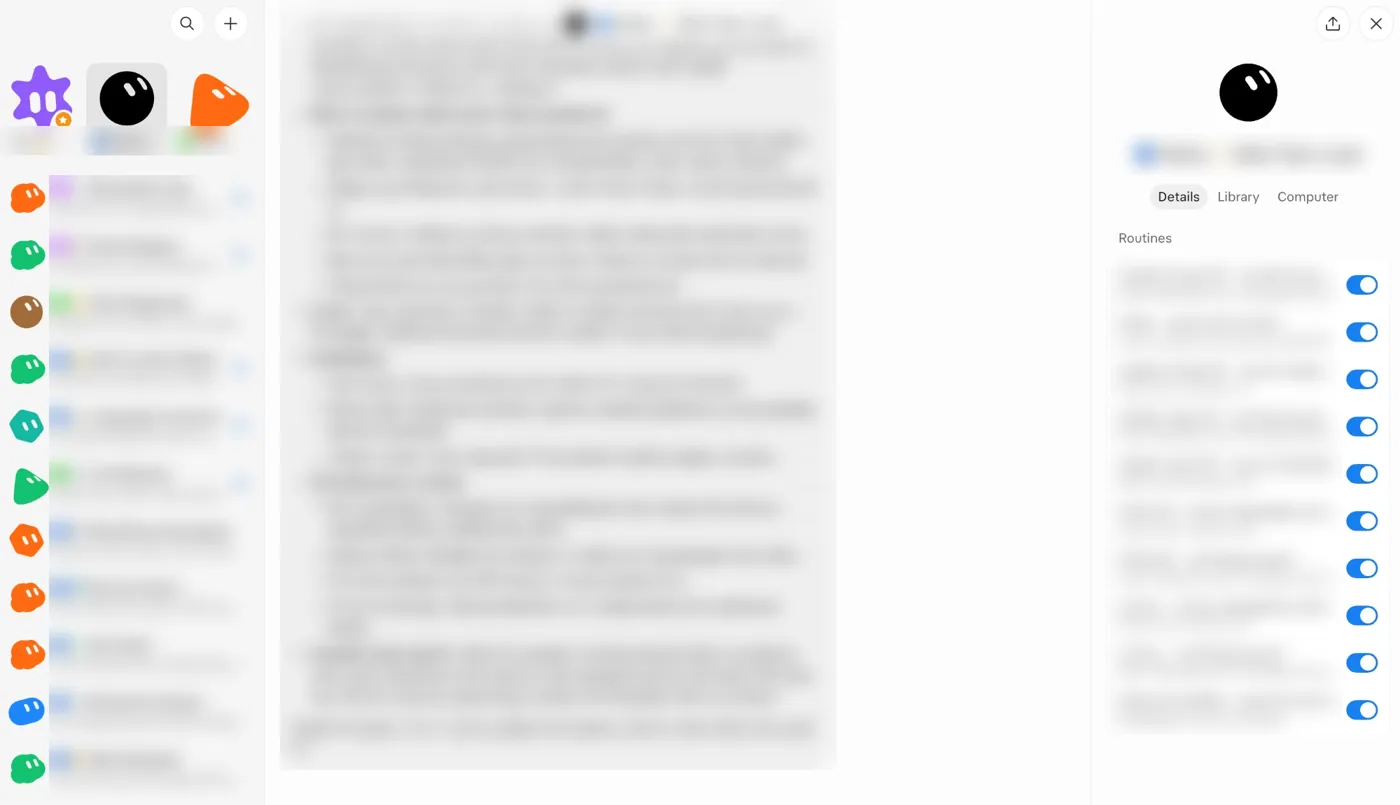
A team of Bots, each with one job. Instead of one assistant for everything, we set up around 15 Bots with clear roles: one plans site structure, one does keyword research, one drafts, and others proofread in several languages. A team-lead Bot hands out the work and checks the results before anything comes back to a person. The Bots message each other, so nobody has to copy text between chats. In one run, three test articles went from idea to a WordPress draft in about 20 minutes, and the proofreading Bot flagged mismatched numbers and sources on its own. The drafts still needed an editor before they were usable.
Monitoring that runs on its own. We set routines to check a group of sites every hour to make sure Google could still crawl and index them, and to post a traffic and Search Console report to a team chat twice a week. Once set up, they ran without us, and we only heard from them when something needed attention.
Fact-checking at scale. We gave a Bot a batch of 2,024 claims about prices, terms and rules and asked it to check each one against official sources such as regulators’ websites, companies’ own terms and legal texts. It verified 1,776 from public sources. Whatever it couldn’t confirm came back to us one question at a time, which is how we’d want it.
It proposes, we decide. We kept approvals on for everything that leaves the cloud computer. In our test, nothing was sent, bought or published without a person’s OK, and that held up. For us this was the most reassuring part.
From our test, the biggest gain is that the repetitive work keeps running in the background while people make the decisions. Speed matters less than that. It works best with clear rules, and you should check its first results closely.
What we checked ourselves
Most of what’s written about Grok Bot comes from xAI’s own launch posts. We checked a few things directly on 30 October 2026.
The app is available across Europe, but not in every language. We looked up the Grok Bot iPhone app (published by X Corp.) in 19 App Store countries, from the US and the UK to Norway, Denmark, Finland, Slovakia, Czechia and Japan. It is listed in all of them. Its listed languages are English, French, German, Hindi, Japanese, Korean, Polish, Portuguese, Chinese, Spanish and Turkish. There is no Norwegian, Danish, Finnish, Swedish, Dutch or Italian. You can still write to a Bot in your own language, but the app itself will be in English. The app is rated 17+ and takes about 106 MB.
xAI quietly rewrote its launch post. If you read the 11 August announcement today, it lists a wide range of Cursor and SuperGrok plans. An archived copy from 12 August says something else: Grok Bot was “available today for SuperGrok Heavy, Cursor Ultra, and Cursor Teams Premium subscribers”. The wider list arrived on 26 August and was then written back into the original post. That matters if you find older articles saying Grok Bot needs a $200 or $300 plan. That was true for the first two weeks.
The cheapest way in is a plan you can’t buy any more. For a new customer, Grok Bot starts at $30 a month on X Subscription Premium, or $25 a month if you pay $300 for a year. Anyone who already pays $20 for a legacy Cursor Pro plan has Grok Bot included at $10 a month less. If that’s you, there’s no reason to switch plans just for Grok Bot.
What people use it for
Beyond our own test, these are the kinds of jobs the documentation and xAI’s posts describe. How well they work depends on which apps you connect and how much access you give.
- Research across several sites. Collect information on a topic, compare what each source says and save a summary with links.
- Inbox triage. Sort new mail, summarise what matters and draft replies that wait for your approval before anything is sent.
- Weekly reports. Pull figures from the tools you use into a fixed format and save the file for review.
- Recurring checks. A routine looks at a page, dashboard or list every morning and only tells you when something changed.
- A small team of Bots. One Bot coordinates while others handle research, reporting and follow-ups, passing work between them.
A sensible first task spans two or three tools and has a clear finish line. Check the result, correct it, and only then save the process as a skill or routine.
Limits to know before you start
+Where it’s strong
- Works in real apps, including ones with no API
- Keeps going in the cloud when your devices are off
- Approvals and password handling are built in
- Included in plans many Cursor and Grok users already pay for
−Where to be careful
- Some sites block automation or end the session; the Bot hands those steps to you
- Everything on the shared computer is visible to all your Bots
- Usage comes out of the same weekly pool as Grok and Cursor
- Teach-a-task is desktop only and still rolling out; @bot on X isn’t available in the EU, UK or Norway
Grok Bot suits people who run several sites or projects and want the repetitive work done in the background while keeping the final say. It isn’t an autopilot. You still review what comes back, and logins with two-factor authentication still need you. If you already pay for Cursor or a Grok plan, you may have it at no extra cost. As a reason to subscribe from scratch it’s harder to judge, because xAI publishes only multipliers, not usage numbers, and the agents share their allowance with everything else in the plan. Start with one Bot and one repetitive job, keep approvals on, and don’t store anything on the shared computer that you wouldn’t want every Bot to see. If you’re comparing assistants rather than agents, our ChatGPT alternatives guide is a better starting point.
Frequently asked questions
What is Grok Bot?
An agent product from xAI. Each Bot works on a shared cloud computer with a browser, files and a terminal, signs in to your apps and completes multi-step tasks, asking for approval before consequential actions.
How much does Grok Bot cost?
It has no price of its own. It’s included in The X Subscription from Premium ($30 a month) up, and in legacy Cursor, SuperGrok, X Premium+ and Grok Business plans. The $8 Plus plan, the free tier and SuperGrok Lite don’t include it.
Does Grok Bot keep working when my laptop is closed?
Yes. Tasks and routines run on the cloud computer, so closing the app, your laptop or your phone doesn’t stop them.
Is Grok Bot available in Europe?
The apps are. The only regional limit in xAI’s documentation is for tagging @bot on X, which isn’t available yet for accounts in the EU, the UK, Norway, Iceland, Liechtenstein or Australia.
Why do I need a Cursor account for Grok Bot?
Because Cursor runs it. Cursor is part of SpaceX’s AI business, the Bots’ computers run in Cursor’s cloud, and sign-in uses a Cursor account. Grok Business seats can sign in with Grok instead.
Can several Bots work together?
Yes. Bots run in parallel, message each other, share context in group chats and can hand a task to another Bot.
Sources and method
Features, platforms, sign-in and limits are taken from the Grok Bot documentation on cursor.com and docs.x.ai. Plans and prices are from xAI’s and Cursor’s pricing pages, checked on 30 October 2026, in US dollars before VAT. The launch-day plan list comes from an archived copy of xAI’s announcement, because the live post has since been edited. App Store availability, version, ratings and languages were looked up by us through Apple’s public lookup service for 19 countries on 30 October 2026. The section on how we tested Grok Bot describes our own setup and results; the figures there are from our own test runs.
- xAI, Introducing Grok Bot (11 August 2026) and the archived launch version
- xAI, Grok Bot on more plans (26 August 2026)
- xAI, Grok Bot product page (availability, Grok Bot usage per plan)
- Cursor Docs, Grok Bot (cloud computer, memory, parallel work)
- Cursor Docs, Get started with Grok Bot (first task, logins, platforms, desktop-only features)
- Cursor Help, Grok Bot plans (which plans include it, shared weekly pool)
- xAI Docs, The X Subscription pricing (plan prices and usage multipliers)
- xAI Docs, Tag Grok Bot on X (regional limits)
- CNBC, SpaceX to buy Cursor maker Anysphere (16 June 2026)