Almost every big AI app will now turn a sentence into a picture, and most will do it for free up to a point. They differ in the small print: how much the free tier gives you, whether a watermark goes on the file, who can see your images, and whether you may sell the result. We went through the plans, help pages and terms of ChatGPT, Google Gemini, Microsoft Copilot, Midjourney, Ideogram, Leonardo, FLUX, Adobe Firefly and Canva on 30 September 2026, and picked one for each job.
- Best overall: ChatGPT. ChatGPT Images 2.5 is on every plan, Free included, and edits as well as it generates. Plus at $20 a month adds “images with thinking”.
- Best free: Google Gemini. The free app runs Nano Banana 2, with 1K downloads, a visible watermark and a daily cap Google doesn’t put a number on.
- Best for text in images: Ideogram. Posters, labels and logos are what Ideogram 4.0 is built for, and free accounts get weekly credits.
- Best for editing photos: Gemini again. Nano Banana 2 makes local edits, keeps a face consistent from one image to the next and blends several of your photos into one.
- Best for commercial use: Adobe Firefly. Adobe says output from its own Firefly models is “safe for commercial use”. Standard costs $9.99 a month.
The nine compared
Prices are the vendors’ US list prices per month unless marked, as shown to us on 30 September 2026. Only Leonardo and Canva put a firm number on their free allowance; the others say “limited” or “may vary” and leave it there. We left out xAI’s Grok this time, which we cover in Grok vs ChatGPT.
| Tool | Current image model | Free tier | Paid from | Commercial use |
|---|---|---|---|---|
 ChatGPTOpenAI | ChatGPT Images 2.5 | Limited, number not published | Go $8, Plus $20 | Yes, you own output |
 GeminiGoogle | Nano Banana 2; Nano Banana Pro on paid plans | Daily quota, number not published; 1K downloads | AI Plus $4.99 | Google claims no ownership |
 CopilotMicrosoft | MAI-Image-2 rolling out | Included, number not published | Microsoft 365 Personal $9.99 | Personal use only |
 Midjourneymidjourney.com | V8.2 | None on web or Discord | Basic $10 ($8 yearly) | Yes; Pro or Mega above $1M revenue |
 Ideogramideogram.ai | Ideogram 4.0 | Weekly slow credits, amount varies | Plus $20 ($15 yearly) | Yes |
 Leonardoleonardo.ai | Lucid Origin, Phoenix and partner models | 150 tokens a day | Essential $12 ($10 yearly) | Free: licence only |
 FLUXBlack Forest Labs | FLUX.2 [klein], [pro], [flex], [max] | None confirmed | From $0.014 per image | Yes, via the API |
 FireflyAdobe | Firefly Image 5 and partner models | Daily generations, number not published | Standard $9.99 | Yes, for Firefly models |
 Canvacanva.com | Canva AI, Standard to Ultra quality | Up to 20 AI uses a month | Pro US$144 a year | Yes, any lawful purpose |
The chat assistants all include image generation on their free plans without saying how many images that means. The specialist tools are more precise about quotas and stricter about rights: Midjourney has no free plan on its website, and Leonardo keeps broad rights over what free users make.
Chat assistants that make images
ChatGPT
OpenAI’s image tool is ChatGPT Images 2.5, released on 8 September 2026 with sharper detail, more precise editing and faster generation. It’s available on every tier. You can describe an image, start from a template such as a poster, or sketch something on mobile and say what it should become. Editing works on your own uploads too: select an area and describe the change. ChatGPT can also add text, make the background transparent and work in any aspect ratio.
Free has “limited image creation” and Go at $8 has more. Plus at $20 adds images with thinking, where the model plans and refines before it generates, and Pro, from $100, is listed as “unlimited and faster”, subject to abuse guardrails. OpenAI’s terms assign you ownership of what you create. Every image carries C2PA Content Credentials and an invisible SynthID watermark, with no visible mark unless you ask for one. If you’re choosing a chatbot as well, see our list of ChatGPT alternatives.
Google Gemini
Gemini’s image model is Nano Banana 2, and that’s what the free plan uses too. Google lists better text rendering in all supported languages, character consistency, local edits and combining several uploaded photos into a new one. Without a paid plan, downloads come in 1K. Any Google AI plan raises that to 2K and adds Nano Banana Pro, reached through “Redo with Pro” when an image needs more detail, particularly text. Editing is only open to over-18s.
There’s a daily quota, but Google doesn’t publish the figure. AI Plus costs $4.99 a month for twice the free usage, AI Pro $19.99 for four times, and Ultra $99.99 or $199.99. Gemini images carry a visible watermark as well as SynthID. Google’s terms say it “won’t claim ownership” of content you generate. The same Google AI plans come up in our comparison of which AI assistant is worth paying for.
Microsoft Copilot
Copilot makes images from a prompt or edits an upload you describe. Microsoft said in March that its own MAI-Image-2 was rolling out in Copilot and Bing Image Creator. The free app includes image creation, Microsoft 365 Personal at $9.99 a month gives “higher usage than free”, and Premium at $19.99 gives “extensive usage”, with no numbers attached to either. Read the consumer terms before using the pictures for work. They say “You can only use Copilot for your own personal use”, and forbid removing the content credentials Copilot adds. Fine for a birthday card, then, but not for a client.
Dedicated image generators
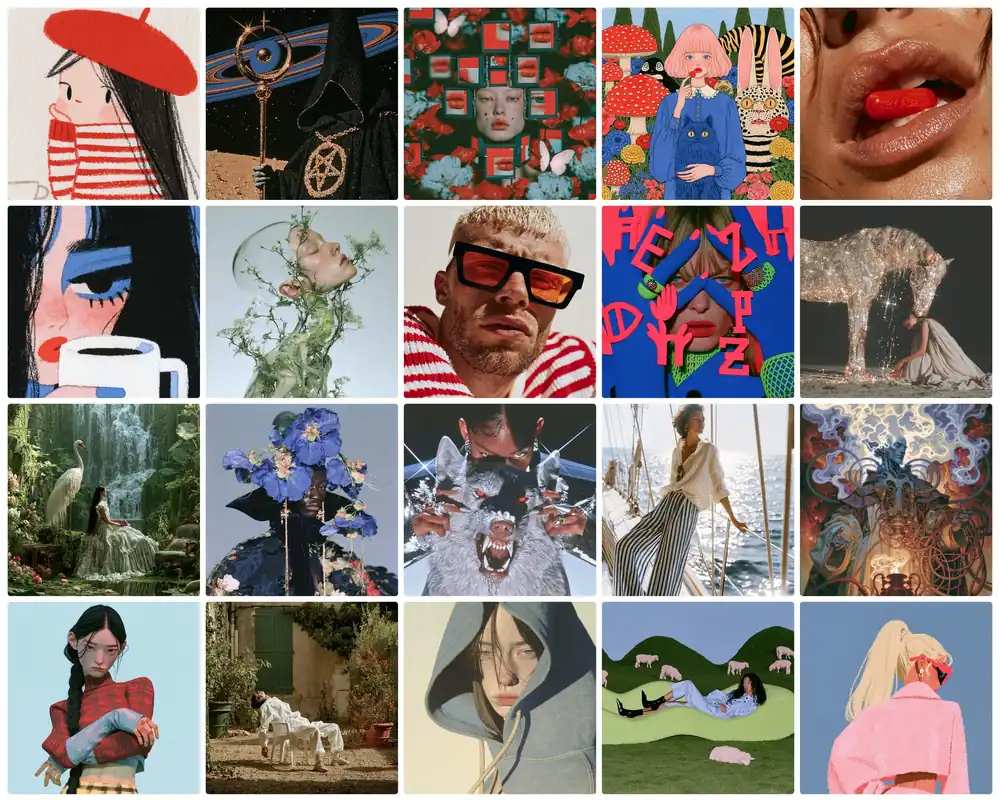
Midjourney
Midjourney’s default model is V8.2, released on 24 July 2026 with a focus on aesthetics and personalisation. It brought a new Edit Model that replaces Omni Reference, Character Reference and Retexture, and it keeps V8.1’s HD mode for 2K images. There’s no free plan. The help centre says “No free trial is currently available in Discord or the midjourney.com website”; only the niji·journey app has a limited trial.
Basic costs $10 a month for 3.3 hours of fast GPU time. Standard at $30 adds unlimited Relax mode images, Pro at $60 and Mega at $120 add Stealth Mode, and paying yearly takes 20 percent off. You own what you make, but a company grossing more than $1,000,000 a year needs Pro or Mega to use the images commercially. Without Stealth Mode, your images appear in Midjourney’s public gallery.
Ideogram
Ideogram made its name by getting words right inside images, and version 4.0 is pitched the same way: “Crystal-clear type”, multilingual text, precise layout control and realistic 2K images. It has also been released with open weights on GitHub and Hugging Face, and commercial deployments of the model itself need a separate licence.
Eligible free accounts get weekly slow credits, and Ideogram says the amount may vary. Email-and-password sign-ups get none; use Google, Apple or Microsoft. Free images are public, since private generation starts with Plus at $20 a month ($15 billed yearly), which includes 1,000 priority credits and unlimited slow ones. Pro costs $60 ($42 yearly) with 3,500. Ideogram’s pricing FAQ says you can use your images “for any purpose, including commercial use”.
Leonardo
Leonardo states its free allowance as a plain number, 150 fast tokens a day, reset every 24 hours and never carried over. What a token buys depends on the model and settings, and the generate button shows the cost before you start. Besides its own Lucid and Phoenix models, Leonardo runs third-party ones such as Nano Banana Pro and GPT-Image-1, which always cost tokens.
Essential is $12 a month ($10 billed yearly) for 8,500 tokens, Premium $30 ($24) for 25,000 plus unlimited relaxed generation on Leonardo’s own image models, and Ultimate $60 ($48) for 60,000. Paid subscribers keep full ownership. On the free tier, Leonardo says it “holds rights to use, reproduce, modify, and distribute any images you create”, and you get a non-exclusive, royalty-free licence to use them commercially.
FLUX
FLUX, from Black Forest Labs, runs behind the scenes in other apps; Adobe Firefly offers FLUX.2 [pro] as a partner model. Bought directly, it’s a pay-as-you-go API with a browser playground and no subscription. The FLUX.2 family is priced per image by resolution, from $0.014 for [klein] 4B, through $0.03 for [pro], to $0.07 for [max]. BFL’s newer FLUX 3 does video today and lists images as “soon”.
BFL’s developer terms say you own your outputs and may use them “for your or their own personal or commercial purposes”. The downloadable FLUX.2 [dev] weights are marked non-commercial, and running them in a business requires a paid licence. We couldn’t find a free playground allowance on BFL’s own pages, so treat it as paid.
Design tools with AI built in
Adobe Firefly
Firefly runs Adobe’s own Firefly Image 5 alongside partner models: Gemini 3.1 with Nano Banana 2, GPT Image 1.5 and FLUX.2 [pro]. The free plan offers “limited free daily generations” across standard and premium features without saying how many. Standard costs $9.99 a month with 2,000 generative credits. Pro at $19.99 has 4,000 plus Photoshop on web and mobile and Adobe Express; Pro Plus is $49.99 and Premium $199.99. Every paid plan includes unlimited standard image generation, Generative Fill and Generative Expand; credits go on video, audio and partner models.
Adobe’s commercial-use wording is the clearest of the nine. It says “Outputs from Adobe Firefly AI models are safe for commercial use”, because the models are trained on licensed and public-domain content, and it attaches Content Credentials automatically. That covers Adobe’s own models only; with partner models, Adobe says it’s up to you whether the output is right for your project. Firefly makes video too, and we looked at its free video allowance in our guide to free AI video generators.
Canva
Canva’s advantage is that the image lands in the editor you’ll use to lay out the poster. Canva Free gives you up to 20 uses of Standard or Premium AI tools a month, shared across every AI feature. Pro, at US$144 a year, no longer counts Standard-quality generations against your allowance (fair use applies) and gives up to 200 Premium or 20 Ultra uses. Ultra, the highest image quality, is paid-only. Canva’s AI terms say you own your output and may use it “for any lawful purpose”, unless it builds on content from Canva’s library, in which case that content’s own licence applies.
How we chose
We haven’t run a blind quality test or scored pictures by eye. On 30 September 2026 we checked each tool’s current model, its free allowance as the vendor describes it, the cheapest paid plan in US dollars, and the licence and labelling wording in its terms. The picks weigh what you get without paying, how plainly the vendor states its limits, and whether the licence fits the way you’ll use the image. Where a vendor publishes no number, we say so.
Watermarks, labels and who owns the picture
Most of these tools label their images, even when you can’t see the label. OpenAI adds C2PA Content Credentials and SynthID, Google adds SynthID plus a visible watermark in Gemini, Adobe attaches Content Credentials, and Copilot’s terms forbid stripping its credentials. Assume that a platform can tell your picture was made with AI.
Free plan or paid plan
+Reasons to stay free
- The images are for you: cards, avatars, mood boards
- ChatGPT and Gemini both generate images for free
- Leonardo’s 150 daily tokens are enough to learn on
- A watermark or public gallery doesn’t bother you
+Reasons to pay
- Private images on Ideogram or Midjourney
- 2K downloads in Gemini
- Full ownership on Leonardo
- A quota you can plan around
Verdict
Most people should start with ChatGPT or Gemini, since you probably use one of them already. ChatGPT Images 2.5 has the fullest set of tools, from templates and sketches to a selection editor, and Plus adds thinking mode for $20. Gemini gives you Nano Banana 2 without a subscription, and its local edits and photo blending are the easiest way to rework your own pictures.
Choose Ideogram when the words in the image matter, Midjourney when the look matters most and you’re happy to pay from $10, and Adobe Firefly when the image will be used commercially and you want the licence in plain words. Developers who need images in bulk can use FLUX at a few cents each. Keep Copilot for personal projects and Canva for images that go straight into a design.
Frequently asked questions
What is the best AI image generator in 2026?
For most people it’s ChatGPT. ChatGPT Images 2.5 is on every plan, handles text and transparent backgrounds, and edits your uploads as well. Gemini with Nano Banana 2 is the free alternative, and Midjourney V8.2 is worth paying for if style comes first.
What is the best free AI image generator?
Google Gemini. The free app runs Nano Banana 2 with 1K downloads and a visible watermark. For a published allowance, Leonardo gives 150 tokens a day and Canva Free up to 20 AI uses a month.
Can I use AI-generated images commercially?
Usually, but it depends on the tool and plan. Firefly’s own models, ChatGPT, the FLUX API, Ideogram and Canva all allow it. Copilot’s consumer terms restrict you to personal use, Leonardo’s free tier gives you only a licence, and Midjourney requires Pro or Mega for companies grossing over $1 million a year.
Do AI image generators add watermarks?
Most add an invisible one. ChatGPT images carry C2PA Content Credentials and SynthID, Gemini adds SynthID plus a visible watermark, and Firefly attaches Content Credentials. ChatGPT adds a visible mark only if you ask.
Which AI image generator is best for text and logos?
Ideogram. Version 4.0 is built around clear type, multilingual text and layout control, and free accounts get weekly slow credits. On paid Google AI plans, Gemini’s Nano Banana Pro is another option for text-heavy images.
Sources and method
Models, free allowances, prices and licence wording were taken from the vendors’ own pricing, help and terms pages on 30 September 2026. Prices are US dollar list prices as shown to us, excluding tax where the vendor says so. We haven’t run our own quality comparison and don’t rank output by eye; where we describe features, we describe what the vendor documents. Where a vendor publishes no number, the article says so.
- OpenAI Help Center, Images in ChatGPT: availability on all tiers, editing tools, templates, sketches, images with thinking
- OpenAI Help Center, ChatGPT release notes: ChatGPT Images 2.5 (8 September 2026), Images 2.0 (21 April 2026), DALL·E GPT retirement
- ChatGPT pricing and About ChatGPT Pro tiers: Free, Go, Plus and Pro prices and image-creation wording
- OpenAI Help Center, Provenance signals and OpenAI Terms of Use: C2PA and SynthID, visible watermark on request, ownership of output
- Google Gemini, Nano Banana 2 and Gemini Apps Help, Generate and edit images: models, 1K and 2K downloads, daily quota, Redo with Pro, visible watermark and SynthID
- Google Gemini subscriptions and Google Terms of Service: AI Plus, Pro and Ultra prices; ownership of generated content
- Microsoft, Copilot plans for individuals, Using image generation in Copilot, Introducing MAI-Image-2 and Copilot terms of use: plan prices, image usage wording, model rollout, personal-use and content-credential terms
- Midjourney, Comparing plans, Free trials, Using images and videos commercially, Version and Version 8.2: prices, GPU time, no free trial, $1M revenue rule, V8.2 and V8.1 details, sample image
- Ideogram, pricing and FAQ, Signup and registration and Ideogram 4.0: plan prices and credits, free weekly credits, public-by-default images, commercial use, open weights, example image
- Leonardo.Ai, pricing, Tokens FAQ and Midjourney vs Leonardo AI (updated 10 September 2026): token allowances, ownership by plan, third-party models, plan prices
- Black Forest Labs, API pricing, Open weights licensing and Developer terms: FLUX.2 per-image prices, FLUX 3 status, [dev] licence, output rights
- Adobe, Compare Firefly plans and Adobe Firefly: free daily generations, plan prices and credits, unlimited standard features, partner models, commercial-use statement
- Canva, pricing, Understanding your AI usage, AI quality tiers and AI product terms: plan prices, AI allowances, Ultra on paid plans, ownership of output