
There isn’t one best AI for writing, because a novel, a board report and a cover letter need different help. So we’ve sorted nine tools by the job each does best: Claude, ChatGPT, Gemini, Microsoft Copilot in Word, Grammarly, QuillBot, Sudowrite, ProWritingAid and Notion AI. Prices, plans and features come from each vendor’s own pages, checked on 30 September 2026. We describe what each tool is built and documented to do. We haven’t run a scored writing test for this guide.
- Long drafts and heavy editing: Claude. The free plan now runs Sonnet 5.5, and Pro at $20 a month adds Opus 5.5 and Claude for Word.
- Work email and documents: whatever sits in your office suite. That means Copilot in Word from $9.99 a month with Microsoft 365 Personal, or Gemini in Docs with Google AI Pro at $19.99.
- Grammar and style: Grammarly. The free version catches mistakes almost everywhere you type. Pro adds full-sentence rewrites.
- Fiction: Sudowrite. It’s built around stories, with its own fiction models and continuity checks across a series.
- Rewriting and paraphrasing: QuillBot. Premium costs $99.95 a year.
- Free: Claude Free plus Grammarly Free. Draft in one, proofread in the other, and pay nothing.
All nine side by side
Prices are US list prices for one person, as the vendors showed them on 30 September 2026. ProWritingAid would only show us euro prices from Ireland, so those are in euros.
| Tool | Best for | Free plan | Paid from | Where it works |
|---|---|---|---|---|
 ClaudeAnthropic · claude.ai | Long drafts, editing | Yes, Sonnet 5.5 | $20 / month ($17 annual) | Web, desktop, mobile; Word on paid plans |
 ChatGPTOpenAI · chatgpt.com | All-rounder, free in Word | Yes, GPT-5.6 Luna | $8 (Go), $20 (Plus) | Web, apps; Word add-in on every plan |
 GeminiGoogle · gemini.google | Google Docs and Gmail | Yes, Flash-Lite | $4.99 (AI Plus), $19.99 (AI Pro) | Gemini app; Docs from AI Pro |
 Copilot in WordMicrosoft 365 | Word and Outlook | Copilot chat, lower usage | $9.99 / month (Personal) | Word, Excel, PowerPoint, Outlook, OneNote |
 Grammarlygrammarly.com | Grammar and tone | Yes, 100 AI prompts a month | $12 / month billed yearly | Browsers, Windows, Mac, Office, Google Docs, mobile |
 QuillBotquillbot.com | Paraphrasing | Yes, with limits | $99.95 / year or $19.95 / month | Web, Chrome, Word |
 Sudowritesudowrite.com | Fiction | Free trial | $10 / month billed yearly | Its own writing app |
 ProWritingAidprowritingaid.com | Manuscript editing | Yes, 500 words per report | €10 / month billed yearly | Web, desktop, Google Docs, Office |
 Notion AInotion.com | Notes and team docs | Limited trial | $20 / member / month (Business, yearly) | Inside Notion |
Long drafts and heavy editing
For anything longer than a page, you want a general assistant that can hold the whole document in view and take instructions about style. Two are worth paying for here, and both have usable free plans.
Claude
Claude is where we’d start a long piece. Anthropic’s two newest models both came out this month and both were sold partly on how they write. Of Opus 5.5 (22 September), Anthropic says it “puts the most important information up front, is less likely to use jargon or idiosyncratic phrases, and follows the writing rules you give it”. Sonnet 5.5 followed on 28 September, and Anthropic’s page says its “writing is clearer and more direct, so drafts need less cleanup”. Those are vendor claims. Still, a model that sticks to your style guide is exactly what you want when editing.
Sonnet 5.5 is on the Free plan, too. Anthropic says “anyone can chat with Claude using Sonnet 5.5” on the web, iOS and Android. Pro adds Opus, Projects without the five-project cap, Claude Design with Slides and Docs, and Claude for Microsoft 365. In Word that add-in edits “with tracked changes”, replies to comment threads and follows company styles. If you’re not sure you need the bigger model, our guide to Sonnet or Opus covers when the cheaper one is enough.
ChatGPT
ChatGPT covers more ground as an everyday app. For writers, the most useful recent addition is ChatGPT for Word, which OpenAI offers on every plan, Free included. Free and Go use GPT-5.6 Luna inside Word; Plus and Pro default to GPT-5.6 Sol. OpenAI’s newest model, GPT-6.1 Sol, arrived on 29 September, but for now only in ChatGPT Work and Codex. OpenAI says it “is not yet available in Chat”. If you’re deciding between Claude and ChatGPT for more than writing, our Claude vs ChatGPT comparison goes through plans, context and privacy.
+Reasons to pick Claude
- Both new models were pitched on clearer writing
- The newest model, Sonnet 5.5, is on the Free plan
- Word add-in edits with tracked changes
- Context of up to 1M tokens, depending on the model
+Reasons to pick ChatGPT
- Word add-in works on the Free plan
- $8 Go plan if Free runs out
- GPT-6.1 Sol in ChatGPT Work from Plus up
- Pro tiers for very heavy use
Work email and documents in Word or Google Docs
For reports, briefs and email, the best AI is usually the one already built into the software you use at work, because it can see the file you’re in. Copying and pasting into a chat window works, but you lose formatting and comments on the way back.
Microsoft Copilot in Word
If you live in Word and Outlook, this is the obvious pick. Microsoft’s support page lists four jobs: start a draft “from a prompt, outline, notes, or referenced file”, rewrite selected text or “adjust tone”, summarise a document, and make “reviewable changes” in the original file. For home users it comes with Microsoft 365 Personal at $9.99 a month or $99.99 a year. Family costs $12.99, but only the subscription owner gets the AI features. Premium at $19.99 raises Copilot use from “higher usage than free” to “extensive usage”. Work accounts need Microsoft 365 Copilot, which Microsoft sells as an add-on to its business plans.
Gemini in Google Docs
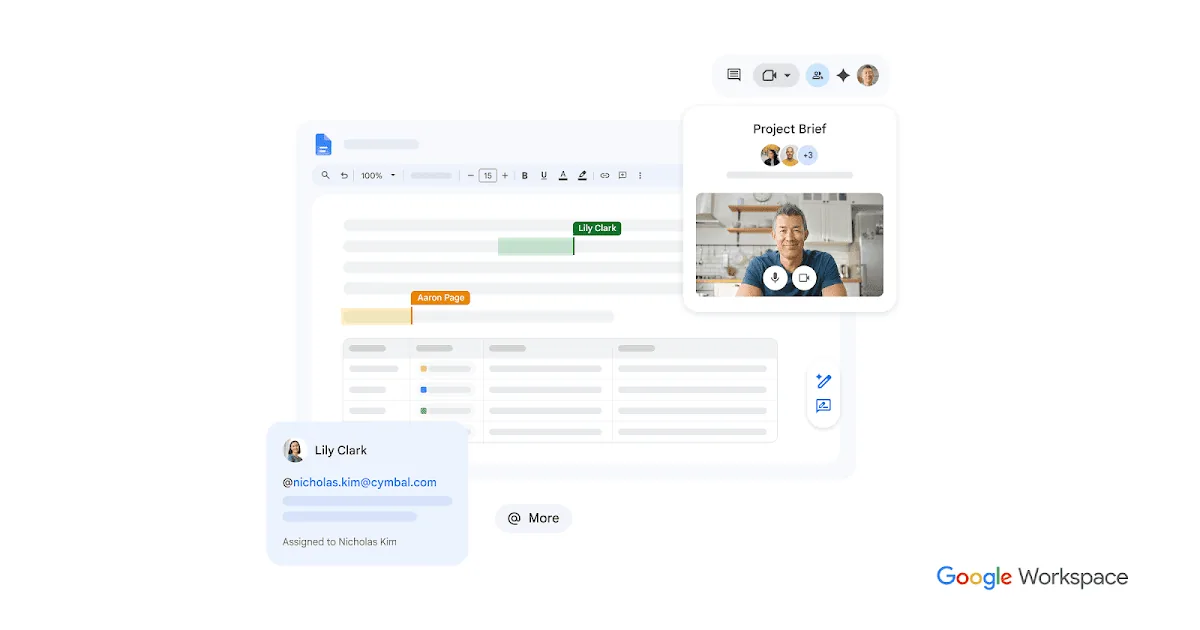
Google’s version can pull from your Drive, Gmail and Chat to build a full draft, then use Match Format and Match Writing Style to bring it in line with your house style and tone. On a personal Google account, Docs is listed from Google AI Pro at $19.99 a month. The $4.99 AI Plus plan lists “Gemini in Gmail, Vids, and more” but not Docs, so check before you buy it for this. The Gemini app itself is free with the Flash-Lite model, Canvas and Deep Research. We set Google AI Pro against Claude Pro and ChatGPT Plus in a separate guide.
Notion AI
If your team writes in Notion, its built-in agent can chat, generate and edit docs, and translate inside the workspace. On the Free and Plus plans, though, it’s only a limited trial. The full version comes with Business at $20 per member a month on yearly billing, or $24 monthly. That’s a lot to pay for writing help alone, so it only makes sense if you also want the meeting notes and search that come with Business.
Grammar and style checking
A chatbot will proofread if you ask, but a checker marks problems as you type, in the app you’re typing in. Grammarly is the one we’d install first. The free version corrects spelling and grammar, shows your tone and gives you 100 AI prompts a month. Pro adds one-click rewrites of whole sentences, tone adjustment, a plagiarism check and 2,000 prompts. It costs $12 a month billed yearly ($144), or $30 if you pay monthly, so the annual plan is much the better deal.
Fiction
General chatbots can write a scene, but they don’t know your book. Sudowrite does, and it’s the tool we’d point a novelist to. It gives you Write, Rewrite, Describe and Expand, matches your style and checks continuity across a series. It runs Sudowrite’s own fiction models, Muse and Ballad, alongside more than 30 others. Plans are sold as monthly credits. Hobby & Student is $10 a month billed yearly ($19 monthly) for 225,000, Professional $22 ($29) for 1,000,000, and Max $44 ($59) for 2,000,000. Feedback, meaning developmental edits, line edits and beta reads, is only on Professional and Max. There’s a free trial with no card needed.
ProWritingAid is the better choice when the draft already exists and you want it edited. It runs line-editing reports on readability, overused words and sensory detail, and offers chapter critiques and paid manuscript analysis. The free plan allows two runs of each report a day on 500 words, plus ten rephrases. Premium was €10 a month billed yearly (€120) or €30 monthly when we looked from Ireland, and there’s a lifetime licence from €399. If the finished book is headed for audio, we compare AI narration tools for audiobooks separately.
Rewriting and paraphrasing
QuillBot is best known for its paraphraser, which rewrites a sentence or paragraph in a different tone or length. The paraphraser and grammar checker are free with limited access, while the citation generator, translator and AI detector are free outright. Premium opens up all of the tools and costs $99.95 a year, which works out at $8.33 a month, or $19.95 if you pay monthly. It works on the web, in Chrome and in Word.
Paraphrasers are also sold as a way to get text past AI detectors, and QuillBot sells both a humaniser and a detector. We’d leave that game alone. AI detectors get it wrong often enough, on human writing as well as machine text, that a score proves nothing either way. If your school or client has rules about AI use, the safe course is to follow them and say what you used.
The best free setup
You can do a lot without paying. Claude Free with Sonnet 5.5 is the free option we’d use for drafting and editing, because it’s Anthropic’s newest model and the one it describes as writing more clearly. Add Grammarly Free for proofreading wherever you type. If you need AI inside Word without a Microsoft 365 subscription, ChatGPT’s Word add-in works on the Free plan. Gemini’s free app is the one to add if your files already live in Google Drive.
How we chose
We started from the writing jobs readers ask us about and went through each vendor’s pricing, plan and help pages on 30 September 2026. A tool made the list if its free or entry plan does that job well on paper and the vendor documents where it works. We left out products whose prices we couldn’t see without signing in, and we quote vendor claims about writing quality as claims. We didn’t take payment or free accounts from any vendor, and we haven’t run a scored writing test for this guide.
If you only pay for one AI writing tool, make it Claude Pro at $20 a month. You get Opus 5.5 and Sonnet 5.5 for drafting and editing, Word with tracked changes, and a context window of up to 1M tokens. If most of your writing is email and reports in Microsoft 365, Copilot in Word from $9.99 a month is cheaper and already in the ribbon. Google users should look at AI Pro instead.
Specialists earn their place on top of that. Grammarly is worth installing for free on day one. Novelists should try Sudowrite before paying for anything else, and ProWritingAid if the book is already written. QuillBot is fine for rewording a clumsy paragraph. Just don’t count on it to hide AI use from anyone.
Frequently asked questions
What is the best AI for writing in 2026?
For most long-form writing and editing, Claude. Its Free plan runs Sonnet 5.5, and Pro at $20 a month adds Opus 5.5 and a Word add-in. For grammar, Grammarly is better, and for fiction, Sudowrite. If your writing happens in Word or Google Docs, the built-in Copilot or Gemini is often the most practical choice.
Is there a good free AI for writing?
Yes. Claude Free gives you Sonnet 5.5 on the web and in the mobile apps, and Grammarly Free checks spelling, grammar and tone as you type. ChatGPT’s Word add-in also works on its Free plan, with GPT-5.6 Luna.
Is ChatGPT or Claude better for writing?
Anthropic pitched both of its September models on clearer writing, and Sonnet 5.5 is free, so we’d start with Claude for long drafts and editing. ChatGPT has a Word add-in on every plan, Free included, and a cheaper $8 Go tier. If neither suits you, we list other assistants in our guide to ChatGPT alternatives.
Which AI works inside Microsoft Word?
Several do. Microsoft’s own Copilot comes with Microsoft 365 Personal, Family and Premium. ChatGPT for Word works on every ChatGPT plan, and Claude for Word is on Claude’s paid plans. Grammarly, QuillBot and ProWritingAid also have Word or Office add-ins.
Will an AI detector flag text I wrote with AI help?
It might, and it might also flag text you wrote entirely yourself. Detectors are unreliable on edited drafts and on careful, formal writing. If AI use matters where you’re submitting, follow the rules and keep your drafts and version history.
Sources and method
Prices, plan contents, model names, release dates and supported apps were read from each vendor’s own pages on 30 September 2026. We re-checked the Gemini models per plan on 28 October 2026. OpenAI’s pages refused our automated fetcher that day, so ChatGPT prices and the ChatGPT for Word details come from OpenAI’s own pages as they appeared in search results on 30 September, together with OpenAI’s DevDay posts of 29 September. ProWritingAid showed prices in euros only. Quotations about writing quality are the vendors’ claims. We haven’t run a scored head-to-head writing test for this guide.
- Claude, Pricing: Free, Pro and Max prices, models by plan, project limits, context window, Claude for Microsoft 365 on Pro
- Anthropic, Claude Sonnet: Sonnet 5.5 on Claude.ai for anyone, writing claim
- Anthropic, Introducing Claude Sonnet 5.5: release date 28 September 2026, announcement figure
- Anthropic, Introducing Claude Opus 5.5: release date 22 September 2026, writing quotation
- Claude for Microsoft 365: Word features, availability on paid plans, Outlook beta
- ChatGPT, Pricing and ChatGPT for Word: Go and Plus prices, Word add-in plans and models
- OpenAI, Introducing GPT-6.1 Sol and About ChatGPT Pro tiers: release date, availability, Pro prices
- Google, Gemini subscriptions (US): Free, AI Plus, AI Pro and Ultra prices and features, free-tier model, models per plan, age and language limits
- Google Workspace, Docs: Gemini in Docs features, figure
- Microsoft, Compare Microsoft 365 plans: Personal, Family and Premium prices, Copilot usage levels
- Microsoft Support, Welcome to Copilot in Word: what Copilot in Word does
- Grammarly, Plans and How much does Grammarly Pro cost?: features, prompt limits, USD prices
- QuillBot, How much is QuillBot Premium?: Premium prices, free tools
- Sudowrite, Pricing and What plans are available?: plans, credits, yearly and monthly prices, Feedback
- ProWritingAid, Pricing: free limits, EUR prices, integrations
- Notion, Pricing: Notion Agent by plan, USD prices for Plus and Business